Buscar en scripts para "bear"
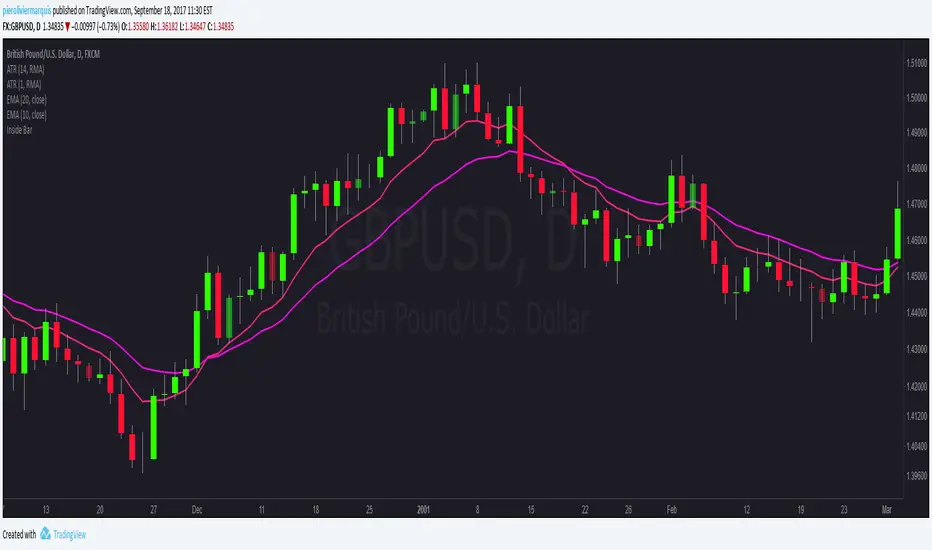
Bullish and Bearish Engulfing Patterns auto detectionThis simple indicator detects automatically most important bullish and bearish candlestick patterns formations. Used to locate potential supply and demand imbalances.
Copyright 2017 Alfonso Moreno www.set-and-forget.com
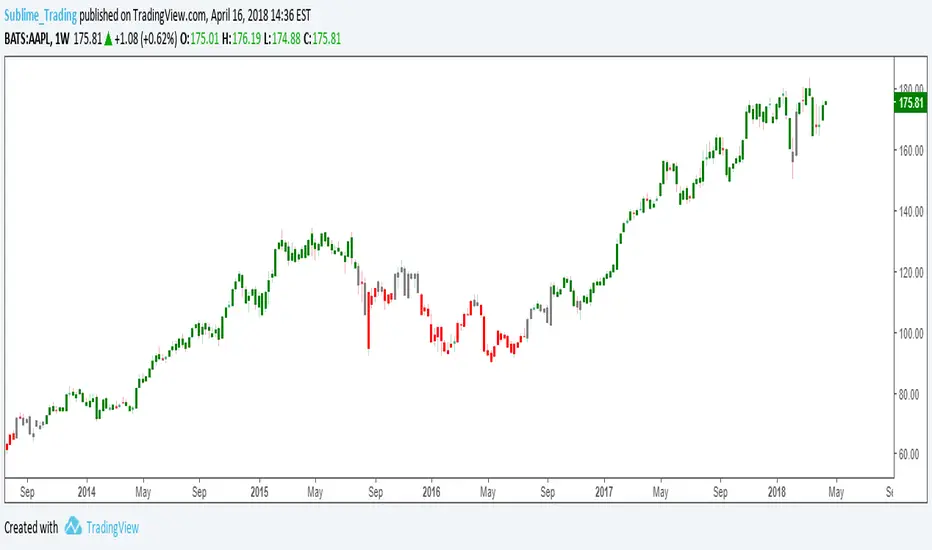
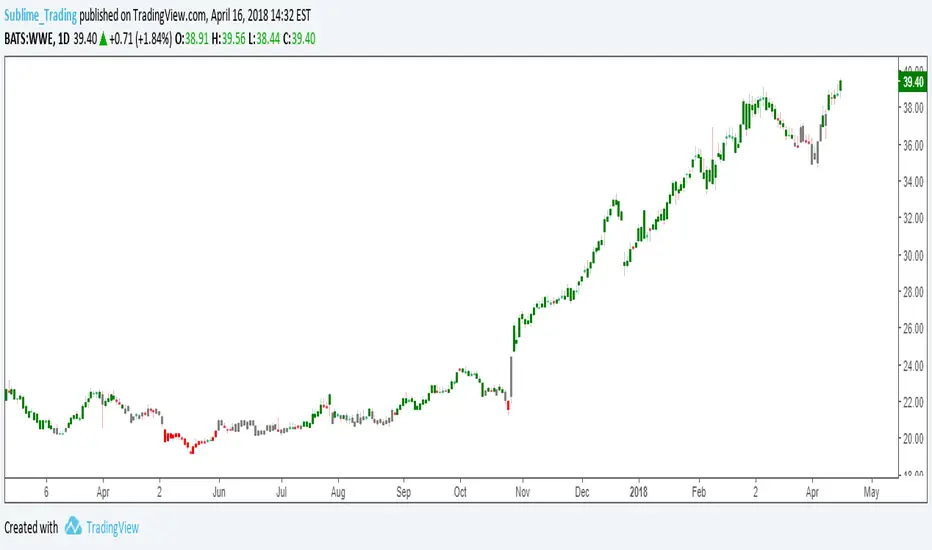
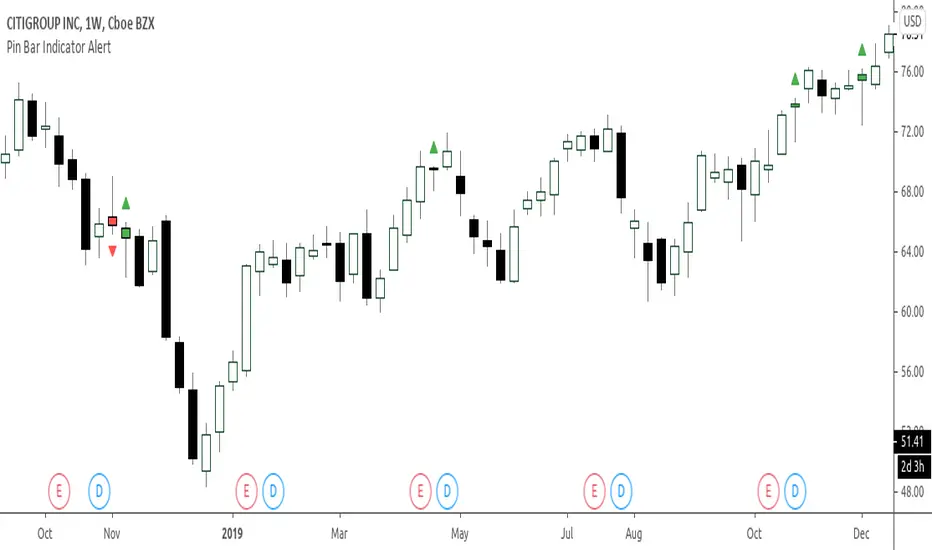
Super Envolvente (Bullish y Bearish)Identificador de Super-envolventes (SE), se encarga de darle un color verde a la SE alzista (Bullish) verde y rojo a la bajista (Bearish).
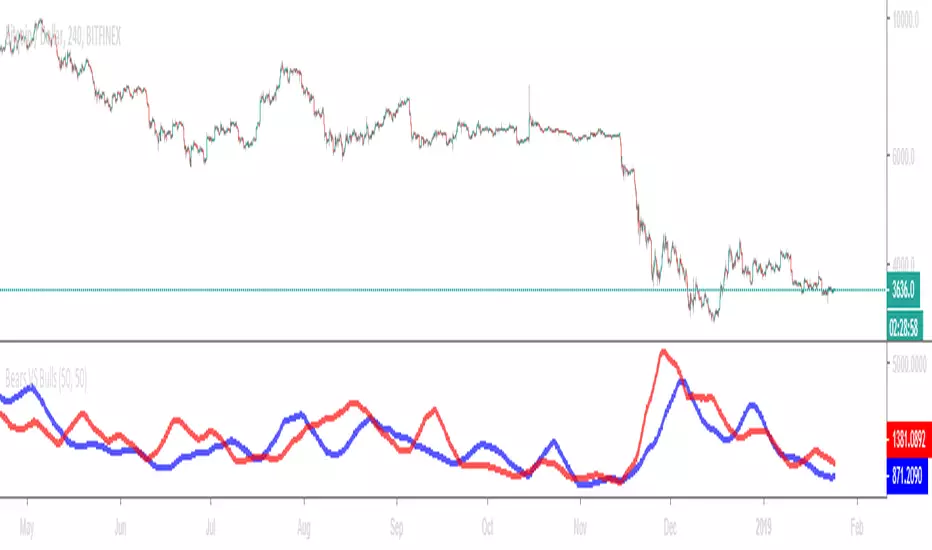
Bears VS BullsThis indicator will work on ANY instrument.
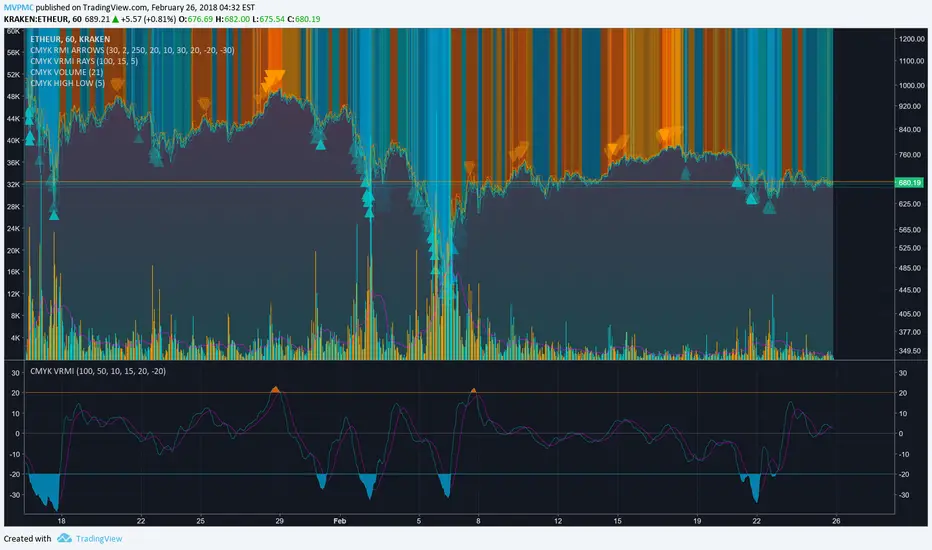
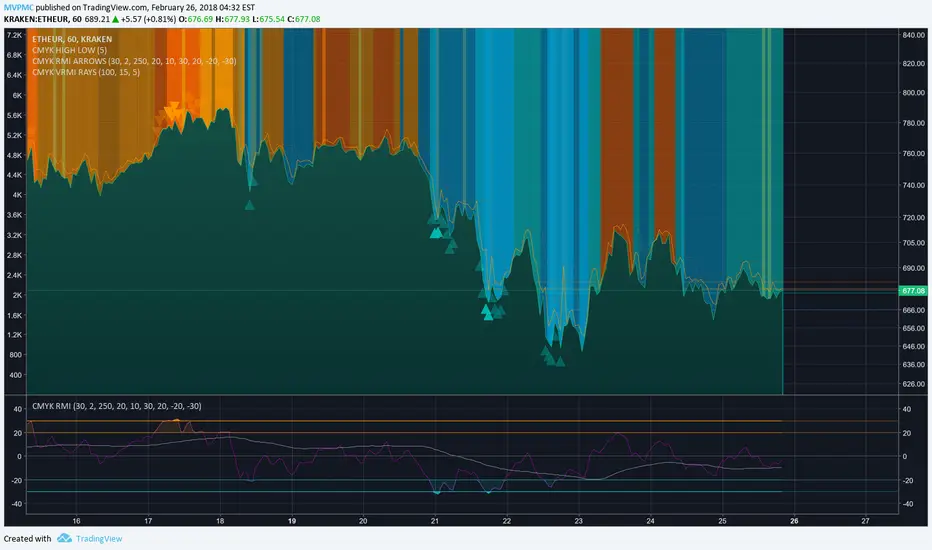
The red line is a moving average of ONLY sellers in the market.
The blue line is a moving average of ONLY buyers in the market.
The period or "length" of the individual moving averages can be adjusted in the indicator settings.
The default, it is set to 50.
Buying and selling trends often provide indications of market moves such as the most recent bottom in Cryptocurrencies.
Feel free to comment and share any indicator concepts or ideas for content you would like to see added to the Technical Indicator Bundle on www.kenzing.com
Bearish Trailing stopIt is a trailing SL. Works very well. Good good very good. Looks like my description needs more, so here is more random text.
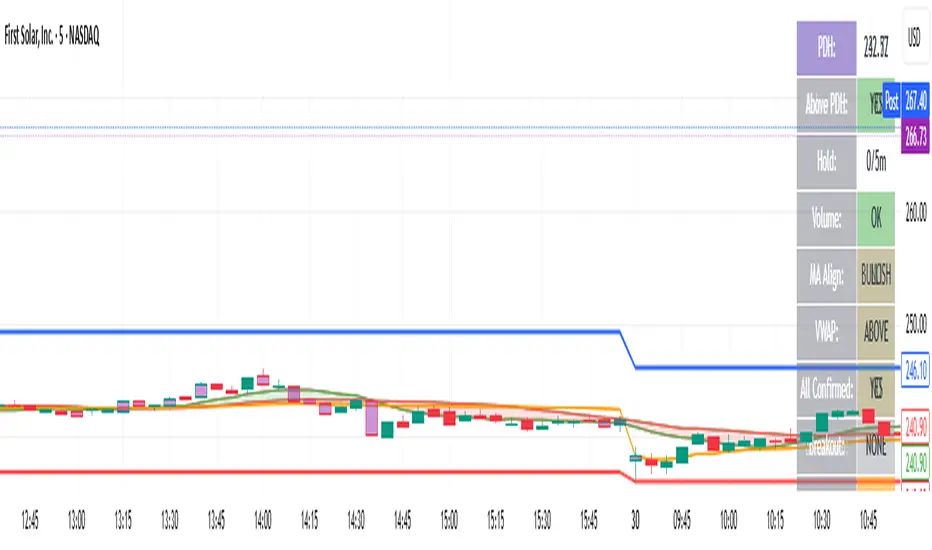
bearish Price Below PDL - Complete Multi-Confirmation Alert🎯 KEY IMPROVEMENTS:
1. Enhanced Alert Visibility:$jmoskyhigh
✅ HUGE triangle down marker with "SELL" text
✅ Alert title: "SELL SIGNAL - PDL BREAKDOWN CONFIRMED"
✅ Prominent info panel with red theme
✅ Clear "SELL ALERT: TRIGGERED" status
2. Better Visual Feedback:
Red frame around info panel
Larger shapes and markers
Color-coded confirmations (green = OK, red = FAIL)
Progress percentage displayed
Breakdown price label
3. Complete Alert System:
Main Alert: "SELL SIGNAL - PDL BREAKDOWN CONFIRMED"
Early Warning: "PDL Breakdown Started - Monitoring"
Reset Alert: "Confirmation Lost - Breakdown Reset"
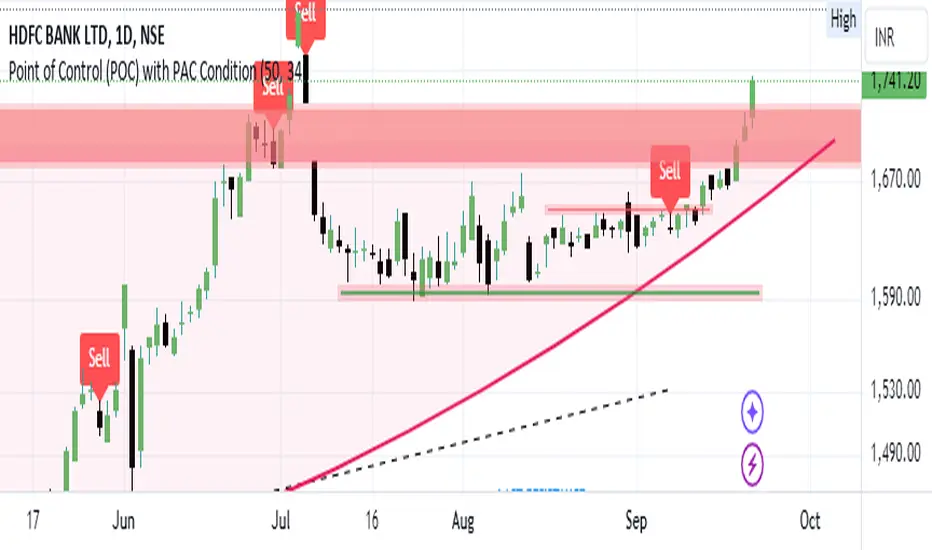
Bearish signal using Point of Control (POC) with PAC by guruThis indicator code helps traders identify potential sell opportunities using several important technical indicators:
Point of Control (POC) – This is the price level where the most volume was traded over the past several days.
Previous Day's Low – This shows the lowest price reached during the previous day.
PAC (Price Action Channel) EMA – These are two moving averages (one based on the low price and one based on the close price) that help determine if the price is trending within a certain range.
Volume SMA – This is a 3-day simple moving average (SMA) of volume, which helps filter out signals based on market activity.
What the Script Does:
Point of Control (POC):
The script looks at the last 50 days (configurable) and calculates which price level had the highest trading volume.
It then plots a red line on the chart at the POC level. This is important because it helps identify areas where there was strong market interest in the past.
Volume Moving Average:
The script calculates a 3-day SMA of volume, but it excludes the current day to avoid premature signals based on today’s trading.
The volume SMA is used to ensure there’s enough market activity (with a threshold set to 25 units) before triggering a sell signal.
Price Action Channel (PAC) EMA:
The PAC consists of two exponential moving averages (EMAs):
The PAC Low EMA: This is based on the low prices over the last 34 periods (configurable).
The PAC Close EMA: This is based on the closing prices over the last 34 periods.
These EMAs help determine if the price is trending above or below certain price levels.
Sell Signal Logic: The script checks three conditions before displaying a "Sell" signal:
Price Below POC and Previous Day’s Low:
The close price must be below both the Point of Control (POC) and the previous day's low.
Volume SMA Above 25:
The 3-day volume SMA must be greater than 25. This ensures the signal only triggers when there’s enough trading volume in the market.
Today’s Low is Above PAC EMAs:
Today's low price must be above both the PAC low EMA and the PAC close EMA. This prevents sell signals when prices are already significantly below the PAC, indicating possible exhaustion in the downtrend.
If all three conditions are met, the script will display a red "Sell" label on the chart, signaling a potential selling opportunity.
No Sell Signal if Price Reverses:
If the price crosses back above the POC or the previous day's low, the script will remove the sell signal and reset for a new opportunity.
Summary of Conditions:
For the script to display a "Sell" label:
The close price must be below the Point of Control (POC) and the previous day’s low.
The 3-day volume SMA (excluding today) must be greater than 25 units.
The low price of the current day must be above both the PAC low EMA and the PAC close EMA.
If these conditions are met, a red sell label appears on the chart as a potential signal for a short (sell) trade.
Bearish FS Continuation S1BB - baby bar / inside bar
DF - downflow, meaning 20MA below 50MA
EXE - execution bar, indicator to short
Mainly to identify execution bar for shorting using inside bar identification and force top
Guneet-ScalperBearish trend candle color change to red with sell print
Bullish trend candle color change to green with buy print
thanks
jas toor
SMC + EWT Entry/Exit Indicator v6 (AniZotrop)Simplified Guide to Using the Script (English)
This is a simplified guide on how to use this indicator in real trading (based on SMC + simplified EWT). Focus on key visuals and steps to decide on opening and closing positions.
1. Main Visual Elements and Their Meaning
Green background: Discount zone (price below 50% Fib) – ideal for buying (look for longs only here).
Red background: Premium zone (price above 50% Fib) – ideal for selling (look for shorts only here).
Green circular dots: Bullish Order Block – main long entry zone.
Red circular dots: Bearish Order Block – main short entry zone.
Blue crosses: Bullish FVG – target or extra long entry.
Orange crosses: Bearish FVG – target or short entry.
Purple crosses: Equal Highs/Lows – liquidity pools MM often sweeps.
Green upward triangle: Long Entry signal – main buy trigger.
Red downward triangle: Short Entry signal – main sell trigger.
Orange "Bear Div" label: Bearish divergence – exit long or be cautious.
Orange "Bull Div" label: Bullish divergence – exit short or be cautious.
Dashed red/green lines: Calculated SL (red) and TP (green) for the last signal – use for position management.
2. Ideal Sequence for Opening a Position
For Long (Buy):
Price in green Discount zone.
Low sweep (breaks old lows, collects stops, quick return up – long lower wick + higher close).
BOS upward (breaks previous local high).
Retrace to green Order Block or blue FVG.
Green upward triangle appears.
No "Bear Div".
Volume above average.
For Short (Sell): Mirror the above – red Premium zone, high sweep, BOS down, retrace to red OB/orange FVG, red downward triangle, no "Bull Div", high volume.
3. Safest Position Opening Rules
Classic (Safest – 5/5): Must have Discount/Premium zone + Sweep + BOS + OB/FVG retest + Triangle signal. (Main setup.)
Only on Order Block (4/5): Strong OB retest + triangle + zone. (Very good.)
Only on FVG (3/5): FVG retest + signal + zone. (OK but weaker.)
Without Sweep (2/5): No sweep – very risky. (Avoid.)
Against Divergence (1/5): "Bear Div" on long or "Bull Div" on short. (Forbidden.)
4. When to Close a Position
TP Reached (5/5): Price hits green dashed TP line.
Divergence Appears (5/5): "Bear Div" on long or "Bull Div" on short.
Opposite Structure Break (4/5): Price breaks key level against your position.
Weak Volume on Move (3/5): New high/low but volume below average.
Time Expired (3/5): 3–10 candles passed, no progress.
Price Back to Opposing OB (5/5): Closes beyond your OB – bad sign.
5. Recommended Trader Workflow
Check higher TF (D1/H4/H1) for global Discount/Premium.
Switch to working TF (H1/M15/M5).
Wait for price in right zone (green/red background).
Spot sweep (sharp extreme break + reversal).
Wait for BOS in your direction.
Wait for retrace to OB/FVG.
Enter on triangle signal + no opposite div. (Use limit order at OB/FVG.)
Set SL behind sweep extreme or red dashed line.
Set TP at green line or next liquidity (EQH/EQL).
Watch divergences for early exits.
6. Quick Cheat Sheet for Scalper/Swing Trader
Long: Green background + low sweep + green OB/FVG + green triangle + no Bear Div.
Short: Red background + high sweep + red OB/FVG + red triangle + no Bull Div.
Exit: TP hit OR divergence OR opposite break.
Stick to sweep + BOS + zone to cut false signals. Good luck trading!
Упрощенное руководство по работе со скриптом (Русский)
Это упрощенное руководство по использованию индикатора в реальной торговле (на основе SMC + упрощенного EWT). Фокус на ключевых визуалах и шагах для принятия решений об открытии и закрытии позиций.
1. Основные визуальные элементы и их значение
Зелёный фон: Зона Discount (цена ниже 50% Фибо) — идеально для покупок (ищем лонг только здесь).
Красный фон: Зона Premium (цена выше 50% Фибо) — идеально для продаж (ищем шорт только здесь).
Зелёные круглые точки: Бычий Order Block — основная зона входа в лонг.
Красные круглые точки: Медвежий Order Block — основная зона входа в шорт.
Синие крестики: Бычий FVG — цель или доп. зона входа в лонг.
Оранжевые крестики: Медвежий FVG — цель или зона входа в шорт.
Фиолетовые крестики: Equal Highs/Lows — скопление стопов, которые MM часто свипает.
Зелёный треугольник вверх: Сигнал на покупку (Long Entry) — основной триггер лонга.
Красный треугольник вниз: Сигнал на продажу (Short Entry) — основной триггер шорта.
Оранжевая надпись "Bear Div": Медвежья дивергенция — выход из лонга или осторожно.
Оранжевая надпись "Bull Div": Бычья дивергенция — выход из шорта или осторожно.
Пунктирные красная/зелёная линии: Рассчитанные SL (красная) и TP (зелёная) по последнему сигналу — ориентир для позиции.
2. Идеальная последовательность для открытия позиции
Лонг (покупка):
Цена в зелёной зоне Discount.
Sweep низов (пробой старых лоу, сбор стопов, быстрый возврат вверх — длинная нижняя тень + закрытие выше).
BOS вверх (пробой предыдущего локального хая).
Откат к зелёному Order Block или синему FVG.
Появляется зелёный треугольник вверх.
Нет "Bear Div".
Объём выше среднего.
Шорт (продажа): Зеркально — красная зона Premium, sweep верхов, BOS вниз, откат к красному OB/оранжевому FVG, красный треугольник вниз, нет "Bull Div", объём выше среднего.
3. Самые безопасные правила открытия позиции
Классический (самый безопасный — 5/5): Обязательно зона Discount/Premium + Sweep + BOS + Retest OB/FVG + Треугольник. (Основной сетап.)
Только по Order Block (4/5): Retest сильного OB + треугольник + зона. (Очень хороший.)
Только по FVG (3/5): Retest FVG + сигнал + зона. (Можно, но слабее.)
Без свипа ликвидности (2/5): Нет sweep — очень рискованно. (Избегать.)
Против дивергенции (1/5): Есть "Bear Div" в лонге или "Bull Div" в шорте. (Запрещено.)
4. Когда закрывать позицию
Достигнут TP (5/5): Цена коснулась зелёной пунктирной линии TP.
Появилась дивергенция (5/5): Оранжевая "Bear Div" в лонге или "Bull Div" в шорте.
Слом структуры против (4/5): Появился противоположный BOS (пробой уровня против позиции).
Слабый объём на импульсе (3/5): Новый хай/лоу, но объём ниже среднего.
Время вышло (3/5): Прошло 3–10 свечей, движение не развивается.
Цена вернулась в OB против (5/5): Закрытие за вашим OB — плохой знак.
5. Рекомендуемая последовательность действий трейдера
Проверь старший ТФ (D1/H4/H1) на глобальную Discount/Premium.
Перейди на рабочий ТФ (H1/M15/M5).
Жди цену в нужной зоне (зелёный/красный фон).
Ищи sweep (резкий пробой экстремумов с возвратом).
Жди BOS в нужном направлении.
Жди отката к OB/FVG.
Входи на треугольнике + без противоположной дивергенции (лучше лимит-ордер на уровне OB/FVG).
SL за ближайшим sweep-экстремумом или по красной линии.
TP по зелёной линии или следующей ликвидности (EQH/EQL).
Следи за дивергенциями для раннего выхода.
6. Краткая шпаргалка для скальпера/свинг-трейдера
Лонг: Зелёный фон + sweep низов + зелёный OB/FVG + зелёный треугольник + нет Bear Div.
Шорт: Красный фон + sweep верхов + красный OB/FVG + красный треугольник + нет Bull Div.
Выход: TP достигнут ИЛИ дивергенция ИЛИ слом против позиции.
Строго следуй sweep + BOS + зоне, чтобы уменьшить ложные сигналы. Удачи в торговле!
QMF- Market Structure & Signal Suite [BullByte]QUANTUM MOMENTUM FUSION - Market Structure and Signal Suite
OVERVIEW
Quantum Momentum Fusion is a comprehensive market analysis framework built around a multi-dimensional momentum oscillator. This indicator was designed to give traders a complete analytical workspace in a single tool, combining momentum measurement, market structure identification, trendline analysis, divergence detection, and multi-timeframe context into one unified system.
The core philosophy behind QMF is that successful trading decisions come from understanding multiple aspects of market behavior simultaneously, not from relying on any single indicator or signal. The oscillator serves as the analytical foundation, and every other component builds upon it to create a complete picture of current market conditions.
This description will walk through each component of the indicator, explaining what it measures, why that information matters, and how to interpret what you see on the chart. Whether you are an experienced trader familiar with oscillator analysis or newer to technical indicators, each section aims to make the concepts accessible and practical.
THE QUANTUM ENGINE: UNDERSTANDING THE CORE OSCILLATOR (why its original and not a mashup)
At the heart of this indicator is the Quantum Momentum Fusion oscillator, displayed in its own pane below the price chart. Unlike traditional oscillators that measure a single aspect of price behavior, the QMF oscillator synthesizes four distinct market dimensions into one unified reading.
WHAT IS AN OSCILLATOR
For those less familiar with the term, an oscillator is a technical indicator that fluctuates between defined boundaries, typically showing whether an asset is experiencing strong buying pressure, strong selling pressure, or neutral conditions. The QMF oscillator moves between 0 and 100, with 50 representing the neutral midpoint.
When the oscillator is high (above 70), it suggests the market has experienced significant upward momentum and may be approaching exhaustion. When low (below 30), it suggests the market has experienced significant downward momentum and may be due for a bounce. The space between these extremes represents normal market fluctuation.
THE FOUR DIMENSIONS
What makes the QMF oscillator different from standard momentum indicators is that it combines four separate measurements into its calculation. Each dimension captures a different aspect of market behavior:
VELOCITY DIMENSION
This measures how quickly momentum itself is changing. Think of it like acceleration in a car. Knowing the car is moving forward (direction) is useful, but knowing whether the driver is pressing the accelerator or the brake (acceleration) tells you what is likely to happen next. The velocity dimension calculates the rate of change of the rate of change, providing early warning when momentum is about to shift direction. In practical terms, this can show momentum weakening before price actually reverses.
Why it matters: Price can continue in one direction for a while even after the underlying momentum starts to fade. By measuring acceleration, you can identify potential turning points earlier than with simple momentum indicators.
How it appears: This dimension is calculated internally and combined with the others. You do not see it separately, but its effect shows in the oscillator responding earlier to momentum shifts.
VOLUME DIMENSION
This measures price movement weighted by trading volume. A price move accompanied by high volume has different significance than the same price move on low volume. High volume suggests conviction and participation from larger traders. Low volume suggests the move may lack follow-through.
The volume dimension multiplies price change by a volume ratio (current volume compared to average volume), giving greater weight to moves that have volume confirmation behind them.
Why it matters: Volume often precedes price. Strong volume on a move suggests institutional participation and increases the probability that the move will continue. Weak volume on a move suggests it may be easily reversed.
How it appears: Moves with strong volume conviction will push the oscillator more definitively, while low-volume moves will have muted effect on the reading.
VOLATILITY DIMENSION
This normalizes price movement against the current volatility environment. Markets go through periods of high volatility (large price swings) and low volatility (small price swings). A 1% move during a low volatility period is more significant than a 1% move during a high volatility period.
The volatility dimension divides price change by Average True Range (ATR), which measures typical price range. This tells you whether current movement is significant relative to what is normal for this market right now.
Why it matters: Without volatility normalization, the oscillator would react the same way to all price moves regardless of context. By adjusting for volatility, the oscillator identifies moves that are genuinely significant versus normal noise within the current regime.
How it appears: During quiet markets, smaller price moves can still register as significant if they exceed normal volatility. During volatile markets, the oscillator will not overreact to moves that are within expected range.
SESSION DIMENSION
This tracks where price is positioned relative to the session Volume Weighted Average Price (VWAP). VWAP represents the average price at which trading has occurred during the session, weighted by volume. Institutional traders often use VWAP as a benchmark for fair value.
When price is consistently above VWAP, it suggests buyers are willing to pay above average prices, indicating accumulation. When price is consistently below VWAP, it suggests sellers are accepting below average prices, indicating distribution.
Why it matters: VWAP positioning provides insight into whether institutional traders are likely accumulating or distributing. Price repeatedly returning to and bouncing from VWAP can indicate support, while price repeatedly failing at VWAP can indicate resistance.
How it appears: The session dimension contributes bullish readings when price maintains above VWAP and bearish readings when price maintains below VWAP.
ADAPTIVE WEIGHTING
The four dimensions are combined using configurable weights, and the system can operate in Adaptive Mode. When Adaptive Mode is enabled, the indicator automatically adjusts its sensitivity based on the current volatility regime. During high volatility periods, sensitivity increases to capture larger moves. During low volatility periods, sensitivity decreases to filter out noise.
This means the oscillator adapts to changing market conditions without requiring manual adjustment.
READING THE OSCILLATOR: DISPLAY MODES AND ZONES
The QMF oscillator can be displayed in four different visual formats. Each shows the same underlying data but presents it differently based on trader preference.
ENERGY CANDLES
This mode displays the oscillator as candlestick-style candles. Just as price candles show open, high, low, and close for price, energy candles show these values for the QMF oscillator.
Green candles indicate the oscillator closed higher than it opened (bullish momentum). Red candles indicate the oscillator closed lower than it opened (bearish momentum). The body size shows how much the oscillator moved during the period. Larger bodies indicate stronger momentum conviction.
This format is useful for traders who are comfortable reading candlestick patterns and want to apply similar visual analysis to the oscillator.
QMF LINE
This mode displays the oscillator as a traditional line chart with a signal line overlay. The main QMF line shows current momentum. The signal line is a smoothed average of the QMF that helps identify direction changes.
When the QMF line is above the signal line, momentum is bullish. When below, momentum is bearish. Crossovers between the two lines can indicate momentum shifts.
This format is familiar to traders who use indicators like MACD and prefer clean line-based visualization.
IMPULSE BARS
This mode displays the oscillator as a histogram centered on the 50 midline. Bars above 50 indicate bullish momentum, bars below 50 indicate bearish momentum. Bar height shows momentum strength.
The color intensity changes based on momentum direction. Bars that are increasing in the bullish direction show brighter color. Bars that are decreasing show muted color. This makes it easy to see momentum acceleration and deceleration at a glance.
HEIKIN FLOW
This mode applies Heikin-Ashi smoothing to the energy candles. Heikin-Ashi is a Japanese technique that averages price data to create smoother trends with fewer reversals.
The result is cleaner visual trends that are easier to follow, though with slightly more lag than standard energy candles. This format is useful for identifying sustained momentum moves without getting distracted by minor fluctuations.
OSCILLATOR ZONES
Regardless of display mode, the oscillator pane includes horizontal reference lines that define important zones:
Midline at 50: The neutral point. When the oscillator is above 50, overall momentum is bullish. When below 50, overall momentum is bearish.
Overbought level at 70: When the oscillator crosses above this level, the market is showing strong bullish momentum. However, this also means prices have risen significantly and bearish reversal probability increases the longer the oscillator stays elevated.
Oversold level at 30: When the oscillator crosses below this level, the market is showing strong bearish momentum. However, this also means prices have fallen significantly and bullish reversal probability increases.
Extreme overbought at 85: Maximum bullish exhaustion. At this level, almost all short-term buying pressure has been expended. Reversal probability is high.
Extreme oversold at 15: Maximum bearish exhaustion. At this level, almost all short-term selling pressure has been expended. Reversal probability is high.
Understanding these zones helps you assess the current market condition before looking at any other indicator components.
MARKET STRUCTURE: DYNAMIC SUPPORT AND RESISTANCE
The second major component of the indicator is market structure analysis through dynamic support and resistance levels. Unlike price-based support and resistance, these levels are calculated directly on the oscillator.
WHAT ARE OSCILLATOR-BASED S/R LEVELS
When the QMF oscillator reaches a high point and then reverses lower, that high point becomes a resistance level on the oscillator. When the oscillator reaches a low point and then reverses higher, that low point becomes a support level.
These levels represent momentum thresholds that the market has previously found difficult to exceed. They answer the question: At what momentum reading has the oscillator historically reversed?
WHY THIS MATTERS
Oscillator support and resistance provides different information than price support and resistance. Price S/R tells you where buyers and sellers have previously entered the market. Oscillator S/R tells you what level of momentum the market has been able to sustain.
If the oscillator approaches its resistance level, it suggests momentum is reaching the upper bounds of what has been achievable recently. Either momentum will break through (indicating unusually strong conditions) or it will reverse (indicating normal mean reversion).
Similarly, if the oscillator approaches support, it suggests momentum is reaching exhaustion levels that have previously triggered bounces.
HOW IT APPEARS ON THE CHART
Resistance is displayed as a horizontal red line with a RES label on the oscillator pane. Support is displayed as a horizontal cyan line with a SUP label. These lines update dynamically as new pivots form.
When the oscillator breaks through these levels, markers appear:
R with up arrow: Resistance level broken, indicating unusually strong bullish momentum
S with down arrow: Support level broken, indicating unusually strong bearish momentum
R with checkmark: Resistance held, price rejected at this level
S with checkmark: Support held, price bounced from this level
The dashboard also shows current S/R status: whether the oscillator recently broke resistance, broke support, is currently at resistance, is currently at support, or is in clear space between levels.
AUTOMATED TRENDLINES: MOMENTUM TREND STRUCTURE
The third major component is automated trendline detection on the oscillator. This identifies trending behavior in momentum itself, separate from price trends.
WHAT ARE OSCILLATOR TRENDLINES
Just as you can draw trendlines on a price chart connecting swing lows (uptrend) or swing highs (downtrend), the indicator draws trendlines on the oscillator connecting pivot points.
Support trendlines connect oscillator pivot lows and project forward with a flat or rising slope. These show upward trending momentum where each pullback finds support at a higher level.
Resistance trendlines connect oscillator pivot highs and project forward with a flat or falling slope. These show downward trending momentum where each rally faces resistance at a lower level.
WHY THIS MATTERS
Price trends and momentum trends do not always align. Price can continue making higher highs while momentum makes lower highs, a condition called bearish divergence. Momentum trendlines help visualize this behavior.
When momentum is making higher lows (rising support trendline), it suggests underlying strength even if price is consolidating. When momentum is making lower highs (falling resistance trendline), it suggests underlying weakness even if price is holding.
Breaks of these trendlines often precede price moves. If a falling momentum resistance trendline breaks upward, it suggests bearish pressure is releasing and bullish momentum may follow. If a rising momentum support trendline breaks downward, it suggests bullish pressure is failing and bearish momentum may follow.
HOW IT APPEARS ON THE CHART
Support trendlines appear in blue/cyan, resistance trendlines appear in pink/magenta. Lines extend forward from the most recent pivot point to show projected levels.
Small circle markers can optionally appear at each pivot point used to construct the trendlines, helping you verify the anchor points.
When the oscillator breaks through a trendline, markers appear:
TL with up arrow: Resistance trendline broken upward (bullish breakout)
TL with down arrow: Support trendline broken downward (bearish breakdown)
Trendline strength is calculated based on three factors: how many pivot points validate the line, how recently it formed, and the angle of the slope. Stronger trendlines have more touches, formed recently, and have moderate slopes. You can filter trendlines by strength to show only the most significant ones.
Optional trendline zones can display a shaded area around each trendline rather than just a single line, showing a zone of influence rather than a precise level.
DIVERGENCE: WHEN PRICE AND MOMENTUM DISAGREE
The fourth major component is divergence detection, which identifies discrepancies between price action and oscillator behavior.
WHAT IS DIVERGENCE
Divergence occurs when price makes a new high or low, but the oscillator fails to confirm it. This disagreement between price and momentum often precedes reversals.
There are four types of divergence:
REGULAR BULLISH DIVERGENCE
Price makes a lower low (new low point below the previous low), but the oscillator makes a higher low (its low point is above its previous low). This suggests that despite price going lower, selling momentum is actually weakening. The implication is that sellers are losing conviction and a bounce or reversal may be approaching.
Visual example: Imagine price drops from 100 to 95, bounces to 97, then drops again to 93. At the same time, the oscillator drops to 25, bounces to 35, then drops only to 30. Price made a lower low (93 vs 95) but the oscillator made a higher low (30 vs 25). This is regular bullish divergence.
REGULAR BEARISH DIVERGENCE
Price makes a higher high (new high point above the previous high), but the oscillator makes a lower high (its high point is below its previous high). This suggests that despite price going higher, buying momentum is actually weakening. The implication is that buyers are losing conviction and a pullback or reversal may be approaching.
HIDDEN BULLISH DIVERGENCE
Price makes a higher low (its low point is above its previous low), but the oscillator makes a lower low (new low below its previous low). This occurs during uptrends and suggests the trend will continue. Price is holding higher but momentum briefly dipped further, indicating a temporary pullback within a larger uptrend.
HIDDEN BEARISH DIVERGENCE
Price makes a lower high (its high point is below its previous high), but the oscillator makes a higher high (new high above its previous high). This occurs during downtrends and suggests the trend will continue. Price is staying lower but momentum briefly spiked higher, indicating a temporary bounce within a larger downtrend.
Regular divergence suggests reversal. Hidden divergence suggests continuation.
HOW IT APPEARS ON THE CHART
When divergence is confirmed, labels appear on the oscillator:
BULL DIV: Regular bullish divergence confirmed
BEAR DIV: Regular bearish divergence confirmed
H-BULL: Hidden bullish divergence confirmed
H-BEAR: Hidden bearish divergence confirmed
Dotted lines connect the pivot points on the oscillator to show the divergence pattern. Regular divergence uses solid colored lines, hidden divergence uses dashed lines.
The dashboard shows divergence status in real-time:
CHECKING BULL: A potential bullish divergence pattern is forming but not yet confirmed
CHECKING BEAR: A potential bearish divergence pattern is forming but not yet confirmed
BULL CONFIRMED: Bullish divergence has been validated
BEAR CONFIRMED: Bearish divergence has been validated
NONE: No divergence currently active
Divergence strength is calculated from the magnitude of the oscillator discrepancy. Only divergences meeting the minimum strength threshold are displayed to filter out minor, less significant patterns.
FLOW RIBBONS: VISUALIZING MOMENTUM ALIGNMENT
The fifth major component is the Flow Ribbon system, which displays multiple moving averages of the QMF oscillator to visualize momentum trend and alignment.
WHAT ARE FLOW RIBBONS
Flow ribbons consist of three Exponential Moving Averages (EMAs) applied to the QMF oscillator values. Think of them as smoothed versions of the oscillator at different speeds:
Fast Ribbon : Responds quickly to momentum changes, showing recent momentum direction
Medium Ribbon: Balances responsiveness with smoothness, showing intermediate momentum
Slow Ribbon: Moves slowly and shows longer-term momentum context
When these three lines are plotted together with filled area between them, they create a visual ribbon that expands and contracts based on momentum conditions.
WHY RIBBON ALIGNMENT MATTERS
The relationship between these three averages tells you about momentum structure:
BULLISH ALIGNMENT (Fast above Medium above Slow)
When the ribbons are stacked with fast on top, medium in middle, and slow on bottom, momentum is aligned bullishly across multiple timeframes. Short-term momentum leads, with medium and long-term momentum confirming. This is the strongest bullish configuration.
BEARISH ALIGNMENT (Fast below Medium below Slow)
When the ribbons are inverted with fast on bottom, medium in middle, and slow on top, momentum is aligned bearishly across multiple timeframes. Short-term momentum leads downward, with medium and long-term momentum confirming. This is the strongest bearish configuration.
MIXED/TRANSITIONING
When the ribbons are not properly stacked, momentum is in transition. This often occurs during consolidation, trend changes, or choppy conditions. Trading during mixed ribbon states carries higher uncertainty.
RIBBON EXPANSION AND CONTRACTION
Beyond alignment, the distance between the fast and slow ribbon provides additional information:
EXPANDING RIBBON
When the gap between fast and slow ribbon is increasing, momentum is accelerating. In a bullish alignment with expansion, upward momentum is strengthening. In a bearish alignment with expansion, downward momentum is strengthening. Expansion confirms trend conviction.
CONTRACTING RIBBON
When the gap between fast and slow ribbon is decreasing, momentum is decelerating. The current trend may be losing steam. Contraction often precedes consolidation or reversal. It serves as an early warning that the current move may be exhausting.
HOW IT APPEARS ON THE CHART
The fast ribbon appears as a thicker line, the slow ribbon as a thinner line. The area between them fills with color:
Green fill: Bullish ribbon alignment
Red fill: Bearish ribbon alignment
Gray fill: Neutral or transitioning state
The dashboard shows ribbon state as BULL, BEAR, or NEUT, and indicates whether ribbons are expanding (EXP) or contracting (CON).
Ribbon crossovers occur when the fast ribbon crosses the slow ribbon, signaling potential momentum shifts. These crossovers are confirmed only after the bar closes to prevent false signals from intrabar movement.
REVERSAL CLOUDS: PROBABILITY ZONES
The sixth major component is the Reversal Cloud system, which visualizes zones where momentum reversals have elevated probability.
WHAT ARE REVERSAL CLOUDS
Reversal clouds are shaded areas around the QMF oscillator that indicate probability zones for mean reversion. They answer the question: How far from average has momentum extended, and what is the probability it will revert?
When the oscillator moves far from its normal range, it creates stretched conditions. Like a rubber band pulled to its limit, the probability increases that it will snap back toward center. Reversal clouds visualize these stretched conditions.
CLOUD CALCULATION METHODS
Five different calculation methods are available, each with different characteristics:
DYNAMIC BOLLINGER
Uses statistical standard deviation to create bands that adapt to oscillator volatility. When the oscillator is volatile, bands widen. When the oscillator is calm, bands narrow. This method identifies moves that are statistically significant relative to recent oscillator behavior.
GOLDEN RATIO
Applies Fibonacci proportions (0.214 and 0.786) to the oscillator range. These ratios appear throughout nature and markets. Some traders believe these proportions have psychological significance in market behavior.
ADAPTIVE HALO
Scales cloud width based on price ATR rather than oscillator volatility. This connects cloud width to actual price volatility, making the clouds wider during volatile price action and narrower during calm periods.
VOLATILITY SQUEEZE
Uses short-term standard deviation to create bands that contract during low volatility and expand during high volatility. This method is particularly useful for identifying potential breakout conditions when volatility is compressed.
ICHIMOKU RSI
Applies concepts from Ichimoku Kinko Hyo equilibrium theory to create balanced zones. Uses multiple lookback periods to establish equilibrium levels where the oscillator tends to find balance.
HOW TO READ THE CLOUDS
The oscillator moves through the cloud area as momentum fluctuates:
When QMF enters the upper cloud region, it indicates extended bullish momentum. The higher into the cloud, the greater the probability of bearish reversal through mean reversion.
When QMF enters the lower cloud region, it indicates extended bearish momentum. The deeper into the cloud, the greater the probability of bullish reversal through mean reversion.
Cloud opacity adjusts based on reversal probability. More opaque coloring indicates higher reversal probability. Subtle coloring indicates lower reversal probability.
IMPORTANT UNDERSTANDING
Clouds show probability zones, not certainty. Price can remain in extreme zones longer than expected, particularly during strong trends. Clouds are most useful when combined with other components like divergence, S/R breaks, and ribbon alignment rather than used in isolation.
MULTI-TIMEFRAME ANALYSIS: SEEING THE BIGGER PICTURE
The seventh major component is Multi-Timeframe (MTF) analysis, which calculates QMF values across multiple timeframes to assess momentum alignment at different time perspectives.
WHY MULTIPLE TIMEFRAMES MATTER
The timeframe you trade on shows only one perspective of market momentum. A bullish signal on a 15-minute chart may occur within a larger bearish trend on the 4-hour chart. Understanding momentum context from higher timeframes helps you assess whether you are trading with or against the larger flow.
When multiple timeframes align in the same direction, the probability of a successful trade increases. When timeframes conflict, the situation is more uncertain and requires additional caution.
HOW MTF ANALYSIS WORKS
The indicator calculates the full QMF oscillator independently on four configurable timeframes. By default, these are set to 5-minute, 15-minute, 60-minute (1 hour), and 240-minute (4 hour), but you can configure them to any timeframes that suit your trading style.
For each timeframe, the system determines the current momentum bias:
OB - Overbought: QMF above 70, indicating extended bullish momentum that may reverse
B+ - Strong Bullish: QMF above 55 and above its signal line, indicating solid bullish momentum
B - Bullish: QMF above its signal line, indicating mild bullish momentum
N - Neutral: QMF near 50 with no clear direction
S - Bearish: QMF below its signal line, indicating mild bearish momentum
S+ - Strong Bearish: QMF below 45 and below its signal line, indicating solid bearish momentum
OS - Oversold: QMF below 30, indicating extended bearish momentum that may reverse
ALIGNMENT SCORING
The dashboard displays an alignment score showing how many of the four timeframes agree with each directional bias. This appears as a fraction like 3/4 or 2/4.
4/4 Bullish: All four timeframes show bullish readings - maximum bullish alignment
3/4 Bullish: Three timeframes bullish, one diverging - strong bullish alignment
2/4: Split between bullish and bearish - no clear alignment, use caution
3/4 Bearish: Three timeframes bearish, one diverging - strong bearish alignment
4/4 Bearish: All four timeframes show bearish readings - maximum bearish alignment
Higher alignment scores indicate more reliable momentum context. Trading with 3/4 or 4/4 alignment in your favor provides better odds than trading against alignment or during mixed conditions.
NON-REPAINTING MTF DATA
The multi-timeframe data uses proper request.security settings with lookahead disabled and gaps handled correctly. This ensures the MTF readings you see in backtesting match what you would see in real-time trading, with no future data leakage that could create misleading results.
LIVE MOMENTUM SCORING: REAL-TIME MARKET ASSESSMENT
The eighth major component is the Live Momentum Scoring system, which provides continuous real-time feedback on current market conditions.
WHAT IS LIVE MOMENTUM SCORING
Unlike signals which only appear when specific patterns complete, live momentum scores update every bar to show the current balance between bullish and bearish factors. This answers the question: Right now, how do the bullish factors compare to the bearish factors?
The system evaluates six categories for each direction and adds up points:
ZONE POSITION (0-25 points)
Rewards positioning in favorable oscillator zones. Deep oversold positioning adds points to the bullish score. Deep overbought positioning adds points to the bearish score. Extreme zones receive maximum points, moderate zones receive partial points, neutral zones receive zero.
DIVERGENCE (0-20 points)
Rewards active or forming divergence patterns. Confirmed divergence receives full points. Forming (checking) divergence receives partial credit. No divergence receives zero points.
TREND ALIGNMENT (0-20 points)
Rewards proper EMA stacking and trend MA positioning. Full bullish EMA stack (fast above medium above slow above trend MA) receives maximum bullish points. Partial alignment receives partial points.
MOMENTUM DIRECTION (0-15 points)
Rewards current momentum direction and acceleration. Accelerating momentum in the favorable direction receives maximum points. Simple directional momentum receives moderate points. Histogram turning (early reversal signs) receives partial points.
RIBBON STATE (0-10 points)
Rewards proper ribbon alignment and expansion. Aligned and expanding ribbons receive maximum points. Aligned but contracting ribbons receive moderate points. Mixed ribbons receive zero points.
MULTI-TIMEFRAME (0-10 points)
Rewards higher timeframe alignment. 4/4 alignment receives maximum points, scaling down as alignment decreases.
READING THE LIVE SCORES
The dashboard displays current scores for both directions:
BULL: Shows bullish score as percentage (0-100) and letter grade (A through D)
BEAR: Shows bearish score as percentage (0-100) and letter grade (A through D)
BIAS: Shows which direction currently dominates (BULL, BEAR, or NEUTRAL if close)
Grade thresholds:
A Grade: 70% or higher - Strong momentum factors aligned
B Grade: 50-69% - Moderate momentum factors present
C Grade: 30-49% - Some momentum factors but incomplete
D Grade: Below 30% - Weak or missing momentum factors
The dominant bias shows which direction currently has stronger factors. When one side leads by more than 10 points, it shows that direction. Otherwise, it shows NEUTRAL indicating balanced or mixed conditions.
WHY LIVE SCORING MATTERS
Live scores help you understand current market conditions even when no signal has fired. You can see momentum building or fading in real-time. A rising bullish score suggests conditions are improving for potential long opportunities. A rising bearish score suggests conditions are deteriorating.
This continuous feedback helps with:
- Anticipating potential signals before they fire
- Assessing whether to act on signals that do fire
- Understanding why a signal did or did not appear
- Monitoring open positions for changing conditions
THE DASHBOARD: YOUR ANALYSIS CONTROL CENTER
The dashboard provides a comprehensive real-time summary of all indicator components in one organized table. It displays on the price chart using force overlay so it remains visible regardless of which pane you are focused on.
DASHBOARD LAYOUT
The dashboard can be configured in three detail levels:
COMPACT MODE
Shows only essential information: QMF value, zone status, S/R status, and volume. Uses minimal screen space for traders who want the indicator to remain unobtrusive.
STANDARD MODE
Shows balanced detail including QMF values, zone status, last signal information, grade statistics, divergence status, S/R and volume status, live momentum scores, and MTF panel. Suitable for most traders.
FULL MODE
Shows maximum detail including everything in Standard mode plus EMA structure, ribbon state, volatility regime, signal statistics breakdown, and trendline counts. For traders who want complete information access.
DASHBOARD ROWS EXPLAINED
Row 1 - HEADER
Shows indicator name for identification.
Row 2 - QMF VALUES
Displays three values:
- QMF with directional arrow showing current oscillator value and whether it is rising, falling, or unchanged
- SIG showing the signal line value
- Histogram value with plus or minus sign showing the difference between QMF and signal line
Row 3 - PROGRESS BAR
Visual representation of oscillator position from 0 to 100 using text characters. Provides quick visual reference without needing to look at the oscillator pane.
Row 4 - ZONE STATUS
Text classification of current zone with color coding:
- EXTREME OB (red): Oscillator at or above extreme overbought level
- OVERBOUGHT (light red): Oscillator in overbought zone
- BULLISH (light green): Oscillator above 55 but below overbought
- NEUTRAL (gray): Oscillator between 45 and 55
- BEARISH (light red): Oscillator below 45 but above oversold
- OVERSOLD (light blue): Oscillator in oversold zone
- EXTREME OS (blue): Oscillator at or below extreme oversold level
Row 5 - LAST SIGNAL (Standard and Full mode)
Shows information about the most recent signal:
- Direction and grade (LONG A, SHORT B, etc.)
- Bars ago since signal fired
- Entry price when signal fired
- Current profit/loss from that price level
This helps track performance of recent signals and manage any open positions based on them.
Row 6 - GRADE STATISTICS (Standard and Full mode)
Running count of signals generated:
- A: Count of Grade A signals
- B: Count of Grade B signals
- C: Count of Grade C signals
- T: Total signal count
This provides perspective on signal frequency and grade distribution over the visible chart period.
Row 7 - DIVERGENCE STATUS (Standard and Full mode)
Current state of divergence detection:
- CHECKING BULL: Bullish divergence pattern forming, not yet confirmed
- CHECKING BEAR: Bearish divergence pattern forming, not yet confirmed
- BULL CONFIRMED: Bullish divergence validated
- BEAR CONFIRMED: Bearish divergence validated
- NONE: No divergence currently active
Row 8 - S/R AND VOLUME
Two pieces of information:
- S/R status: Shows R BROKEN (resistance broken upward), S BROKEN (support broken downward), AT RES (testing resistance), AT SUP (testing support), or CLEAR (between levels)
- Volume status: Shows HIGH (volume 1.5x or more above average), MID (volume near average), or LOW (volume below average)
Row 9 - LIVE MOMENTUM (Standard and Full mode)
Real-time momentum scoring:
- BULL: Bullish percentage and letter grade
- BEAR: Bearish percentage and letter grade
- Dominant bias indicator
Row 10-11 - MTF PANEL (when enabled, Standard and Full mode)
Multi-timeframe status:
- Top row shows the four timeframe labels
- Bottom row shows the status code for each timeframe (OB, B+, B, N, S, S+, OS)
- Final cell shows alignment score as X/4
FULL MODE ADDITIONAL ROWS
Structure row: Shows EMA stack status (BULL STACK, BEAR STACK, or relationship between fast and slow) and trend MA position (ABOVE MA or BELOW MA)
Stats row: Shows count of long signals, short signals, and active trendlines
Ribbon row: Shows ribbon state (BULL, BEAR, NEUT), expansion status (EXP or CON), and volatility regime (H-VOL for high volatility, L-VOL for low volatility, N-VOL for normal)
DASHBOARD POSITIONING AND SIZING
Position options: Top Left, Top Center, Top Right, Middle Left, Middle Right, Bottom Left, Bottom Center, Bottom Right
Size options: Tiny (minimal space), Small (balanced), Normal (maximum readability)
Choose a position that does not obscure important price action on your chart and a size that balances readability with space efficiency.
HOW SIGNALS EMERGE FROM CONFLUENCE
After understanding all the individual components, it becomes clear how signals are generated. Signals in QMF are not arbitrary triggers based on single conditions. They emerge when multiple independent factors align to create confluence.
THE PATTERN-BASED APPROACH
The signal system uses a hierarchical pattern-based approach. Rather than calculating a score from random factors and labeling it, the system actively hunts for specific predefined pattern combinations.
The system first checks for Grade A patterns. If none are found, it checks for Grade B patterns. If none are found, it checks for Grade C patterns. Each grade represents specific combinations of factors that must be present together.
GRADE A REQUIREMENTS
Grade A patterns require multiple strong factors aligned. Examples of Grade A pattern combinations:
Pattern A1 - Perfect Storm Reversal:
- Extreme zone positioning (deeply oversold or overbought)
- Confirmed regular divergence
- Structural break (resistance broken or support broken or trendline broken)
- Strong volume conviction (1.3x or higher)
- High MTF alignment (3 or more timeframes agreeing)
Pattern A2 - Breakout Conviction:
- Resistance or support broken
- Accelerating momentum in the breakout direction
- Full EMA stack aligned
- Ribbon aligned and expanding
- Strong volume conviction (1.4x or higher)
- Good MTF alignment (2 or more timeframes)
Pattern A3 - Zone Reversal Multi-Confirmation:
- Extreme or standard zone positioning
- Regular or hidden divergence confirmed
- Active bounce from zone
- EMA crossover or MA break in reversal direction
- Good MTF alignment (2 or more timeframes)
- Volume conviction present (1.2x or higher)
All factors in the pattern must be present simultaneously. Missing any single factor disqualifies the Grade A pattern.
GRADE B REQUIREMENTS
Grade B patterns require fewer but still meaningful confirmations. These patterns fire only when no Grade A pattern is detected:
Pattern B1 - Zone with Confirmation:
- Oversold or overbought zone positioning
- Momentum in reversal direction
- Hidden divergence, EMA crossover, or trendline break present
- Minimum MTF alignment met
Pattern B2 - Divergence with Structure:
- Regular or hidden divergence confirmed
- Structural break (S/R or trendline or MA)
- Momentum confirming direction
- Volume at least average
Pattern B3 - Clean Trend Continuation:
- Above or below trend MA
- Ribbon aligned in direction
- Oscillator crossed signal line
- EMA stack complete
GRADE C REQUIREMENTS
Grade C patterns require basic confirmations. These patterns fire only when no Grade A or Grade B pattern is detected:
Pattern C1 - Early Zone Entry:
- Zone positioning or approaching zone
- Momentum in expected direction
- Oscillator or EMA crossover present
Pattern C2 - Momentum Shift:
- Histogram turning in expected direction
- Oscillator crossover confirmed
- Oscillator on expected side of midline
SIGNAL QUALITY CONTROLS
Beyond pattern detection, several quality controls must be satisfied:
COOLDOWN
A minimum number of bars must pass between any two signals. This prevents signal clustering during volatile conditions and ensures each signal represents a distinct opportunity.
DIRECTION ALTERNATION
When enabled, signals must alternate between LONG and SHORT. After a LONG signal, only SHORT signals can fire until direction changes. This prevents multiple consecutive signals in the same direction.
PULLBACK REQUIREMENT
After a signal fires, the oscillator must retrace a minimum percentage before another same-direction signal can fire. This ensures re-entry signals occur after meaningful pullbacks rather than immediately after the first signal.
VOLUME CONFIRMATION (Optional)
When enabled, volume must meet minimum threshold relative to average. This filters out signals during low-volume periods when moves may lack follow-through.
BAR CONFIRMATION
All signals require barstate.isconfirmed, meaning they only fire after the bar closes. This prevents signals from appearing and disappearing during live bar formation, ensuring backtest results match live behavior.
A comprehensive example that combines signal generation logic, grading system, with all elements clearly annotated for easy understanding.
SETTINGS REFERENCE
This section provides a reference for the main configurable settings organized by category.
QUANTUM ENGINE SETTINGS
Sensitivity (5-50): Primary lookback period for momentum calculations. Lower values respond faster but may include more noise. Higher values smooth the oscillator but increase lag. Default 14 balances responsiveness with stability.
Smoothing (1-10): Exponential smoothing applied to final QMF value. Higher values reduce noise, lower values preserve detail. Default 3 provides good noise reduction.
Adaptive Mode: When enabled, automatically adjusts sensitivity based on volatility regime. Increases sensitivity during high volatility, decreases during low volatility.
Dimension Toggles: Enable or disable each of the four dimensions (Velocity, Volume, Volatility, Session) individually. Useful for customizing the oscillator for specific instruments or conditions.
Dimension Weights: Adjust relative contribution of each dimension. Weights are normalized so they do not need to sum to 1.0. Higher weight means that dimension has more influence on the final value.
Signal Length: EMA period for the signal line. Lower values make signal line more responsive, higher values make it smoother.
DISPLAY SETTINGS
Display Mode: Choose between Energy Candles, QMF Line, Impulse Bars, or Heikin Flow visualization.
Candle Glow: Adds luminous glow effect around energy candles based on momentum strength. Visually striking but can impact performance on slower systems.
Glow Layers: Number of glow layers when candle glow is enabled. More layers create smoother gradient but use more resources.
VISUAL SETTINGS
Theme: Choose between Tokyo Night (dark blue with vibrant accents), Dracula (purple-grey with high contrast), or Nord (muted arctic tones). Each theme is designed for extended trading sessions.
Glow Intensity: Controls transparency of glow effects. Lower values create more visible glows, higher values more subtle.
Enable Glow Effects: Master toggle for all glow effects around candles and levels.
REVERSAL CLOUD SETTINGS
Enable Reversal Clouds: Toggle cloud display on or off.
Cloud Style: Choose calculation method (Dynamic Bollinger, Golden Ratio, Adaptive Halo, Volatility Squeeze, Ichimoku RSI).
Cloud Transparency: Higher values make clouds more transparent, lower values more visible.
Cloud Width: Multiplier for cloud width. Higher values create wider reversal zones.
FLOW RIBBON SETTINGS
Enable Ribbons: Toggle ribbon display.
Fast/Medium/Slow Ribbon: Period for each ribbon EMA. Faster periods respond quicker, slower periods show longer-term trend.
DIVERGENCE SETTINGS
Enable Divergence: Toggle divergence detection.
Pivot Sensitivity: Bars required on each side to confirm pivot point. Higher values detect more significant pivots but may miss shorter-term divergences.
Confirmation Bars: Bars to wait after pivot detection before confirming divergence.
Min Strength Pct: Minimum divergence strength percentage to display. Higher values filter out weaker divergences.
Show Lines: Draw connecting lines between divergence pivots.
Min/Max Distance: Range of bars between pivots for valid divergence.
SIGNAL SYSTEM SETTINGS
Enable Signals: Toggle signal generation.
Show Signals: Filter by grade (A Only, A and B, All Grades).
Cooldown Bars: Minimum bars between signals.
Pullback Required Pct: Percentage pullback needed before same-direction signal.
Require Direction Alternation: Force signals to alternate LONG and SHORT.
Fast/Slow EMA: Periods for EMA crossover analysis.
Trend MA: Period for trend-defining moving average.
Min MTF Alignment: Minimum timeframes that must align for higher grades.
Require Volume Confirmation: Make volume threshold mandatory for signals.
Min Volume Ratio: Minimum volume relative to average when required.
TRENDLINE SETTINGS
Enable Trendlines: Toggle automated trendline detection.
Pivot Left/Right: Bars for pivot detection.
Extension Bars: How far to extend lines into future.
Min Touch Points: Minimum pivots to validate line.
Enable Strength Filter: Filter by calculated strength.
Minimum Strength: Threshold for strength filter.
Show Trendline Zones: Display shaded zones around lines.
Zone Width StdDev: Standard deviation multiplier for zone width.
Line Style: Solid, Dashed, or Dotted.
Line Width: Thickness in pixels.
Show Touch Points: Display circle markers at pivots.
Show Strength Labels: Display strength percentage at line end.
SUPPORT RESISTANCE SETTINGS
Enable S/R: Toggle dynamic S/R display.
Pivot Lookback: Period for detecting S/R pivots.
DASHBOARD SETTINGS
Enable Dashboard: Toggle dashboard display.
Position: Screen position (8 options).
Size: Tiny, Small, or Normal.
Style: Compact, Standard, or Full detail level.
MTF Panel: Include or exclude multi-timeframe panel.
MTF 1-4: Timeframe selections for MTF analysis.
LEVEL SETTINGS
Overbought/Oversold: Standard zone thresholds.
Extreme OB/OS: Extreme zone thresholds.
PRACTICAL EXAMPLE: READING THE COMPLETE PICTURE
This example walks through analyzing a chart using all the indicator components together.
SCENARIO: You are analyzing a 15-minute chart looking for trading opportunities.
STEP 1: ASSESS OSCILLATOR ZONE
You look at the QMF oscillator and see it reading 24, which is in the oversold zone. The dashboard confirms this showing OVERSOLD in the zone status. The progress bar shows the oscillator is in the lower portion of its range.
Initial assessment: The market has experienced significant selling pressure and is in territory where bullish reversals have elevated probability.
STEP 2: CHECK STRUCTURE
You look at the dynamic S/R levels. The oscillator recently touched its support level at 22 and bounced. You see an S with checkmark marker indicating support held. The dashboard shows AT SUP status.
Assessment update: The oscillator found support at a level that has held before. This adds to the bullish case.
STEP 3: EXAMINE TRENDLINES
You notice a resistance trendline connecting recent oscillator highs that has been declining. The oscillator is currently approaching this trendline from below. No break has occurred yet.
Assessment update: There is overhead resistance that will need to be cleared. A break above would be significant.
STEP 4: CHECK DIVERGENCE
The dashboard shows BULL CONFIRMED in the divergence status. Looking at the oscillator, you see a BULL DIV label with a dotted line connecting two pivot lows. The oscillator made a higher low while price made a lower low.
Assessment update: Confirmed bullish divergence suggests selling momentum is weakening despite price continuing lower. This is a meaningful signal of potential reversal.
STEP 5: EVALUATE RIBBONS
The ribbons are currently mixed with fast below medium but both above slow. Ribbon fill is gray indicating transitioning state. However, you notice the fast ribbon is turning upward and approaching the medium ribbon from below.
Assessment update: Ribbons are not yet aligned bullish, but appear to be transitioning. A bullish crossover may be approaching.
STEP 6: CHECK MTF ALIGNMENT
The dashboard MTF panel shows: 5m is B+, 15m is B, 1H is N, 4H is S. The alignment shows 2/4 bullish.
Assessment update: Lower timeframes support bullish bias, but higher timeframes are neutral or bearish. This is mixed alignment, suggesting caution. Any bullish move may face resistance from higher timeframe sellers.
STEP 7: REVIEW LIVE MOMENTUM SCORES
Dashboard shows BULL at 52% Grade B, BEAR at 28% Grade D. Dominant bias shows BULL.
Assessment update: Bullish factors currently outweigh bearish factors. The score suggests moderate bullish conditions, not yet strong.
STEP 8: SYNTHESIS
Putting it together:
- Oversold zone positioning (bullish factor)
- Support held (bullish factor)
- Bullish divergence confirmed (strong bullish factor)
- Ribbons transitioning but not yet aligned (neutral)
- MTF alignment mixed at 2/4 (caution factor)
- Live score favors bullish moderately (supporting factor)
- Resistance trendline overhead (risk factor)
Conclusion: Conditions favor a bullish reversal but with caution warranted due to mixed MTF alignment and overhead resistance. This would not qualify for a Grade A signal due to insufficient MTF alignment. If a signal fires, it would likely be Grade B.
STEP 9: SIGNAL FIRES
Several bars later, the oscillator crosses above its signal line while still in oversold territory. The EMA fast crosses above EMA slow. A LONG B signal appears at 85% confluence.
The signal represents: Oversold positioning plus confirmed divergence plus momentum crossover, meeting Grade B pattern requirements.
STEP 10: MONITORING
After entry, you monitor the dashboard for changing conditions. Live momentum scores continue rising. The resistance trendline breaks (TL up arrow marker appears). Ribbons align bullish. MTF alignment improves to 3/4 as the 1H turns bullish.
The improving conditions confirm the trade thesis. You hold the position as conditions strengthen.
ALERTS AVAILABLE
28 alert conditions are available covering all major events. To set up alerts, click the alert icon in TradingView, select this indicator, and choose the desired condition.
SIGNAL ALERTS
- A-Grade LONG Signal: Highest probability bullish entry
- A-Grade SHORT Signal : Highest probability bearish entry
- B-Grade LONG Signal: Solid bullish entry
- B-Grade SHORT Signal: Solid bearish entry
- Any LONG Signal: Any bullish signal regardless of grade
- Any SHORT Signal: Any bearish signal regardless of grade
DIVERGENCE ALERTS
- Regular Bullish Divergence: Classic bullish reversal pattern
- Regular Bearish Divergence: Classic bearish reversal pattern
- Hidden Bullish Divergence: Bullish continuation pattern
- Hidden Bearish Divergence: Bearish continuation pattern
- Any Bullish Divergence: Either regular or hidden bullish
- Any Bearish Divergence: Either regular or hidden bearish
STRUCTURE ALERTS
- Trendline Break Up : Resistance trendline broken
- Trendline Break Down: Support trendline broken
- Resistance Broken: S/R resistance level broken
- Support Broken: S/R support level broken
CROSSOVER ALERTS
- EMA Cross Up : Fast EMA crossed above slow EMA
- EMA Cross Down : Fast EMA crossed below slow EMA
- Trend MA Break Up: Oscillator crossed above trend MA
- Trend MA Break Down: Oscillator crossed below trend MA
ZONE ALERTS
- Entered Overbought Zone: Oscillator entered overbought
- Entered Oversold Zone: Oscillator entered oversold
- Entered Extreme Overbought: Oscillator reached extreme overbought
- Entered Extreme Oversold: Oscillator reached extreme oversold
RIBBON ALERTS
- Ribbon Cross Up: Fast ribbon crossed above slow ribbon
- Ribbon Cross Down: Fast ribbon crossed below slow ribbon
BOUNCE ALERTS
- Bounce From Oversold: Active reversal from oversold zone
- Bounce From Overbought : Active reversal from overbought zone
NON-REPAINTING Structure
All visual elements and signals in this indicator are non-repainting:
- Signals use barstate.isconfirmed to fire only after bar close
- Divergence confirmation waits for pivot validation
- Trendline breaks confirm after bar close
- S/R breaks confirm after bar close
- MTF data uses lookahead off setting
- No future data is used in any calculation
What you see in backtesting accurately represents what would have appeared in real-time trading.
RISK DISCLAIMER
This indicator is provided for educational and informational purposes only. It does not constitute financial advice, investment advice, or trading advice.
Trading financial instruments involves substantial risk of loss and is not suitable for all investors. Past performance is not indicative of future results. The analysis provided by this indicator should not be relied upon as the sole basis for any trading decision.
Before trading:
- Understand you may lose some or all of your investment
- Never trade with money you cannot afford to lose
- Conduct your own research and due diligence
- Consider consulting with a qualified financial advisor
- Practice with paper trading before risking real capital
- Implement proper risk management with recommended maximum 1-2% risk per trade
By using this indicator, you acknowledge that you have read and understood this disclaimer and accept full responsibility for your trading decisions.
Fibonacci Pivot OscillatorFIB PIVOT OSCILLATOR - Price Position Indicator
See exactly WHERE your price sits between Fibonacci pivot levels. This oscillator normalizes price position relative to classic Pivot Points, giving you a clear view of market structure.
━━━━━━━━━━━━━━━━━━━━━━━━━━━━━━━━━━━━━━━━━━━━━━━━━━━
📊 WHAT DOES IT DO?
Instead of cluttering your chart with multiple pivot lines, this indicator displays a single oscillator showing WHERE price is within the pivot range. Instantly see if price is in support or resistance territory.
━━━━━━━━━━━━━━━━━━━━━━━━━━━━━━━━━━━━━━━━━━━━━━━━━━━
⚙️ HOW IT WORKS
1. Calculates Standard Pivot Point from previous period:
Pivot = (High + Low + Close) / 3
2. Applies Fibonacci ratios to determine Support/Resistance levels:
• R1/S1 = Pivot ± (Range × 38.2%)
• R2/S2 = Pivot ± (Range × 61.8%)
• R3/S3 = Pivot ± (Range × 100%)
3. Normalizes current price position on a fixed scale:
• +100 = Price at R3 (100% Fib extension)
• +61.8 = Price at R2
• +38.2 = Price at R1
• 0 = Price at Pivot Point
• -38.2 = Price at S1
• -61.8 = Price at S2
• -100 = Price at S3
4. Adds a 9-period EMA signal line for momentum confirmation
━━━━━━━━━━━━━━━━━━━━━━━━━━━━━━━━━━━━━━━━━━━━━━━━━━━
🎯 SIGNALS
- BUY: Price crosses ABOVE the Pivot (oscillator crosses above 0)
- SELL: Price crosses BELOW the Pivot (oscillator crosses below 0)
- Optional: Display all Fibonacci level crossings
━━━━━━━━━━━━━━━━━━━━━━━━━━━━━━━━━━━━━━━━━━━━━━━━━━━
📈 HOW TO USE
- Oscillator > 0 → Price in RESISTANCE zone (bullish bias)
- Oscillator < 0 → Price in SUPPORT zone (bearish bias)
- Extreme values (±100) → Price at major Fib levels, watch for reversals
- Histogram color intensity reflects momentum strength
- Use signal line crossovers for additional confirmation
━━━━━━━━━━━━━━━━━━━━━━━━━━━━━━━━━━━━━━━━━━━━━━━━━━━
⚙️ SETTINGS
- Period: Daily, Weekly, or Monthly pivot calculation
- Display: Toggle histogram, position line, zones, info table
- Signals: Show/hide BUY/SELL and secondary Fib crossings
━━━━━━━━━━━━━━━━━━━━━━━━━━━━━━━━━━━━━━━━━━━━━━━━━━━
🔔 ALERTS INCLUDED
- Pivot crossover (main BUY/SELL)
- R1, R2, R3 breakouts
- S1, S2, S3 breakdowns
Ultimate Price Action Scalping V.2Here’s a concise English summary of what your “Ultimate Price Action Scalping V.2” indicator does and its benefits:
The Ultimate Price Action Scalping V.2 indicator is a comprehensive trading tool that combines multiple technical analysis features to help traders identify high-probability trading opportunities. It overlays up to five configurable moving averages (MA) on the chart, allowing users to choose the type of MA (SMA, EMA, WMA, RMA, HMA, VWMA), the source price (Open, High, Low, Close, or typical price calculations), and the period for each MA. These moving averages provide a clear view of short-term and long-term trends, helping traders understand market direction, potential support and resistance levels, and trend momentum.
In addition to moving averages, the indicator automatically detects Morning Star and Evening Star candlestick patterns, which are well-known reversal signals. By highlighting these patterns directly on the chart with visual cues (triangle up for bullish reversal and triangle down for bearish reversal), traders can quickly spot potential trend reversals without manually scanning each candle. Alerts can also be configured, notifying traders in real-time when these reversal patterns appear, improving the speed and accuracy of decision-making.
Overall, this indicator is particularly useful for scalpers and intraday traders seeking a combined approach of trend analysis and price action signals. It simplifies chart analysis by merging multiple MAs with candlestick pattern detection, enabling traders to make faster, more informed entries and exits in volatile markets. The flexibility to configure each MA and real-time alerts ensures that it can be adapted to different trading styles, timeframes, and market conditions.
Chaban Fibonacci Precision: HLINE📄 Script Description
Overview
Chaban Fibonacci Precision: HLINE is a professional-grade hybrid indicator designed for both trend-following and mean-reversion strategies. By integrating HMA (Hull Moving Average), VWAP (Volume Weighted Average Price), Fibonacci Multi-Bands, and Ichimoku Kumo, it provides a multi-dimensional view of market structure and momentum.
Key Features
Dual HMA Momentum System:
Long-term (480): Defines the macro trend.
Short-term (20): Tracks immediate price action.
Dynamic color-coding (Lime for Bullish / Red for Bearish) allows for instant trend identification.
Auto-Adaptive VWAP: Automatically switches calculation periods (Daily, Weekly, or Quarterly) based on the chart timeframe to track institutional "fair value."
Fibonacci Volatility Zones: Utilizes VWMA-based standard deviation to plot precise Sigma levels (0.618 and 1.0) for identifying extreme price exhaustion.
Ichimoku Cloud Integration: Provides visual context for historical support and resistance levels.
Trading Signals & Strategy
■ Unique Sync Square (Trend Confirmation): Triggers only when the HMA and VWAP trends align for the first time. This is your high-probability trend entry signal.
▲/▼ Triangle (Band Touch): Appears when the price touches extreme Fibonacci boundaries.
⚠️ Trading Note on Triangle Signals: Immediate full-position entry on Triangle signals is not recommended. These are "exhaustion" signals. We suggest:
Wait for further trend confirmation (price returning inside the bands).
Enter with a small 'pilot' position (first batch) and add more only after the reversal is confirmed.
Smart Alerts
Fully categorized alerts with real-time price data:
▲/▼ Band Touch: Reversal/Exhaustion warnings.
■ Trend Sync: High-probability trend entry confirmation.
📄 지표 사용 설명서
개요
Chaban Fibonacci Precision: HLINE은 추세 추종과 역추세 매매를 결합한 전문가용 하이브리드 지표입니다. HMA(Hull 이동평균선), VWAP(거래량 가중 평균가), 피보나치 멀티 밴드, 그리고 일목균형표를 통합하여 차트의 구조와 에너지를 다각도로 분석합니다.
주요 기능
듀얼 HMA 모멘텀 시스템:
장기(480선): 시장의 대추세를 정의합니다.
단기(20선): 현재의 즉각적인 모멘텀을 추적합니다.
추세에 따라 선 색상이 자동 변경됩니다 (상승: 녹색 / 하락: 빨간색).
자동 타임프레임 VWAP: 차트 주기에 따라 VWAP 기준(일간, 주간, 분기)을 자동으로 조정하여 기관들의 '평균 가치'를 추적합니다.
피보나치 변동성 존: VWMA와 표준편차를 기반으로 피보나치 시그마 레벨(0.618, 1.0)을 형성하여 과매수/과매도 구간을 정밀하게 식별합니다.
일목 구름대 시각화: 과거의 매물대 지지와 저항층을 배경으로 표시하여 현재 가격의 위치를 분석합니다.
매매 신호 및 가이드
■ 유니크 싱크 사각형 (추세 확정): HMA와 VWAP의 방향이 일치하는 첫 번째 순간에만 발생하는 고확률 추세 진입 신호입니다. 중복 발생을 방지하여 진입 시점을 명확히 합니다.
▲/▼ 삼각형 (밴드 터치): 가격이 피보나치 밴드의 최외곽에 도달했을 때 발생하며, 추세의 극단을 의미합니다.
⚠️ 삼각형 신호 진입 시 주의사항: 삼각형 신호 발생 시 무조건적인 전량 진입은 자제하시기 바랍니다. 해당 신호는 변동성의 한계를 알리는 신호이므로 다음과 같은 전략을 추천합니다:
추세 재확인: 가격이 다시 밴드 안쪽으로 회복되는 것을 확인 후 진입하십시오.
초도 물량 진입: 리스크 관리를 위해 **정찰병(소액)**만 먼저 진입하고, 방향성이 확정되면 비중을 확대하십시오.
스마트 알림 기능
실시간 현재 가격이 포함된 세분화된 알림을 지원합니다:
▲/▼ 밴드 터치: 반전 또는 추세 종료 경고 알림.
■ 추세 일치: 고확률 추세 진입 확정 알림.
BoomBoomChak[V2]Indicator Description
This indicator is designed to identify trend continuation and potential pullback confirmation zones.
It helps traders filter market noise and focus on high-probability trade setups.
Applicable Markets & Timeframes
Markets: Forex, Gold, Indices
Recommended Timeframes: M15 / H1 / H4
Not recommended for timeframes below M5
Signal Types
BUY Signal (Green Arrow)
Indicates bullish market structure with confirmation.
SELL Signal (Red Arrow)
Indicates bearish market structure with confirmation.
No Signal / Filter Zone
Market conditions are unclear. Staying out is recommended.
Doji Breakout (Close, Next 2 Candles, Single Signal + PNL)Here's a short description of the provided Pine Script "Doji Breakout (Close, Next 2 Candles, Single Signal + PNL)":
- Purpose: Detect Doji candles and generate breakout signals within the next two bars, plotting PNL-style visuals and optional labels/alerts.
- Doji detection: A candle is considered a Doji if the range (high-low) is positive and the body (absolute close-open) is less than or equal to a user-defined percentage of the range (default 10%).
- State tracking: Maintains the most recent Doji data (high, low, bar index) and flags whether a trade has been taken or if the Doji is active.
- Breakout logic: Checks the two bars after the Doji. If the close breaks above the Doji high, it’s a bullish/buy breakout; if it breaks below the Doji low, it’s a bearish/sell breakout. Only a single signal per Doji is considered (tradeTaken prevents multiple signals from the same Doji).
- PNL visualization (optional): When a breakout occurs and PNL is enabled, draws entry/stop-loss/take-profit lines and boxes for a defined horizon (PNL Length, default 6 bars) and computes targets using a Risk:Reward ratio (default 2:1).
- Visuals:
- Lines: entry, stop-loss, and target levels.
- Boxes: colored areas representing risk and reward zones.
- Labels (optional): “BUY” for long signals and “SELL” for short signals.
- Inputs:
- Doji body percentage threshold (dojiPct)
- Risk:Reward ratio (riskRewardRatio)
- PNL display toggle (showPNL) and length (pnlLength)
- Signal labels toggle (showLabels)
- Alerts: Generates_alerts for Doji breakout BUY and SELL signals.
MACD Quality Confirmation Bipolar Index V2Indicator: MACD Quality Confirmation Bipolar Index (V2)
Overview
The MACD Quality Confirmation Bipolar Index V2 is a quantitative tool designed to solve the "False Signal" problem inherent in traditional MACD oscillators. Instead of merely showing momentum direction, this indicator filters MACD signals through a multi-dimensional Quality Engine that analyzes liquidity and price action efficiency.
Why Use This?
Standard MACD often produces "noisy" crossovers during low-volume consolidation or erratic price movements. This indicator assigns a "Quality Score" (0-100) to every move, visualized as a bipolar histogram.
Key Features
Liquidity Filtering (Volume Factor): Uses a percentile-based log-volume calculation over a 1-year lookback. It ensures that signals occurring on low institutional participation are suppressed.
Efficiency Scoring (Smoothness): Measures the ratio of candle body size to the total range. High-wick "erratic" price action reduces the score, while solid, trend-driven candles increase it.
Bipolar Visualization: * Positive Bars: Bullish momentum confirmed by high quality.
Negative Bars: Bearish momentum confirmed by high quality.
Bright Colors: Indicate "Strong Zones" (Score > 60), where price action and volume are in perfect sync.
Smart Crossover Labels: * Green/Red Triangles: High-quality crossovers (Score > 40).
Gray Triangles: Low-quality "noise" crossovers.
Yellow "!" Mark: A warning for extremely weak signals (Score < 20).
How to Trade
The Power Setup: Look for a Bullish Cross (Triangle) that coincides with a bar entering the Strong Zone (above 60). This indicates a high-conviction entry.
The Noise Filter: If you see a MACD crossover but the histogram remains in the "Active Zone" (below 40) or triggers a "!", exercise caution; the market may be ranging.
Trend Strength: Watch for increasing bar heights. If price moves higher but the Quality Score declines, it suggests a "hollow" trend prone to reversal.
BoomBoomChak[MAGIC]Indicator Description
This indicator is designed to identify trend continuation and potential pullback confirmation zones.
It helps traders filter market noise and focus on high-probability trade setups.
Applicable Markets & Timeframes
Markets: Forex, Gold, Indices
Recommended Timeframes: M15 / H1 / H4
Not recommended for timeframes below M5
Signal Types
BUY Signal (Green Arrow)
Indicates bullish market structure with confirmation.
SELL Signal (Red Arrow)
Indicates bearish market structure with confirmation.
No Signal / Filter Zone
Market conditions are unclear. Staying out is recommended.
TF Trend + Buy - Sell Signal Predictor By AI คำอธิบายสคริปต์
Gold Ultimate Dashboard V12 เป็นเครื่องมือวิเคราะห์ทางเทคนิคแบบครบวงจรที่ออกแบบมาเพื่อเทรดเดอร์ทองคำ (XAUUSD) โดยเฉพาะ โดยรวมระบบอัจฉริยะไว้ในหน้าจอเดียว:
AI Predictor: วิเคราะห์ทิศทางราคาล่วงหน้า (ขึ้น/ลง/ไซด์เวย์) เป็นเปอร์เซ็นต์ด้วยอัลกอริทึม Multi-Indicator
AI TP Target: คำนวณจุดทำกำไร (Take Profit) อัตโนมัติอิงตามความผันผวนของตลาด (ATR)
Smart Money Concepts (SMC): ตรวจจับกล่อง Order Block และ FVG เพื่อหาจุดกลับตัวที่แม่นยำ
Multi-TF Power: สรุปแรงซื้อ-ขาย และเทรนด์จาก 12 Timeframes (1m จนถึง Weekly) เพื่อการวิเคราะห์แบบ Top-Down
Bilingual Interface: รองรับการใช้งาน 2 ภาษา (ไทย/อังกฤษ) อ่านง่าย สบายตา
วิธีใช้: เหมาะสำหรับการเทรดแบบ Day Trade และ Scalping โดยเน้นการเทรดตามเทรนด์หลักจาก TF ใหญ่ และเข้าทำกำไรใน TF เล็กตามสัญญาณ AI
Script Description
Gold Ultimate Dashboard V12 is an all-in-one technical analysis solution specifically optimized for Gold (XAUUSD) traders. It combines advanced logic into a single intuitive dashboard:
AI Predictor: Real-time probability forecasting (Bullish/Bearish/Sideways) powered by a multi-indicator algorithm.
AI TP Target: Automatically calculates volatility-based Take Profit targets using ATR.
Smart Money Concepts (SMC): Detects Order Blocks and Fair Value Gaps (FVG) to identify high-probability reversal zones.
Multi-TF Power Dashboard: Displays Trend and Momentum across 12 Timeframes (from 1m to Weekly) for comprehensive Top-Down analysis.
Bilingual Interface: Supports both Thai and English for a global trading experience.
How to use: Perfect for Day Trading and Scalping. Align your trades with the major trend from higher timeframes and execute entries based on AI signals in lower timeframes.