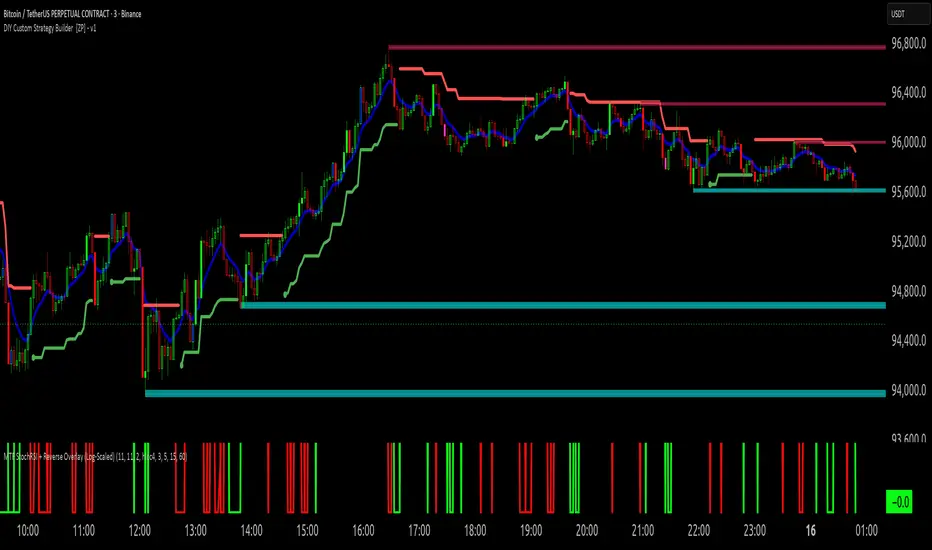
hell 1good for finding tops and bottoms in a trend .set to log scale and strech it like it looks in the chartIndicador Pine Script®por gman435
hell 1scalping tops and bottoms set to log .. it can find the top or the bottomIndicador Pine Script®por gman416
ENTRY CONFIRMATION V2// This source code is subject to the terms of the Mozilla Public License 2.0 at mozilla.org // © Zerocapitalmx //@version=5 indicator(title="ENTRY CONFIRMATION V2", format=format.price, timeframe="", timeframe_gaps=true) len = input.int(title="RSI Period", minval=1, defval=50) src = input(title="RSI Source", defval=close) lbR = input(title="Pivot Lookback Right", defval=5) lbL = input(title="Pivot Lookback Left", defval=5) rangeUpper = input(title="Max of Lookback Range", defval=60) rangeLower = input(title="Min of Lookback Range", defval=5) plotBull = input(title="Plot Bullish", defval=true) plotHiddenBull = input(title="Plot Hidden Bullish", defval=false) plotBear = input(title="Plot Bearish", defval=true) plotHiddenBear = input(title="Plot Hidden Bearish", defval=false) bearColor = color.red bullColor = color.green hiddenBullColor = color.new(color.green, 80) hiddenBearColor = color.new(color.red, 80) textColor = color.white noneColor = color.new(color.white, 100) osc = ta.rsi(src, len) rsiPeriod = input.int(50, minval = 1, title = "RSI Period") bandLength = input.int(1, minval = 1, title = "Band Length") lengthrsipl = input.int(1, minval = 0, title = "Fast MA on RSI") lengthtradesl = input.int(50, minval = 1, title = "Slow MA on RSI") r = ta.rsi(src, rsiPeriod) // RSI of Close ma = ta.sma(r, bandLength ) // Moving Average of RSI offs = (1.6185 * ta.stdev(r, bandLength)) // Offset fastMA = ta.sma(r, lengthrsipl) // Moving Average of RSI 2 bars back slowMA = ta.sma(r, lengthtradesl) // Moving Average of RSI 7 bars back plot(slowMA, "Slow MA", color=color.black, linewidth=1) // Plot Slow MA plot(osc, title="RSI", linewidth=2, color=color.purple) hline(50, title="Middle Line", color=#787B86, linestyle=hline.style_dotted) obLevel = hline(70, title="Overbought", color=#787B86, linestyle=hline.style_dotted) osLevel = hline(30, title="Oversold", color=#787B86, linestyle=hline.style_dotted) plFound = na(ta.pivotlow(osc, lbL, lbR)) ? false : true phFound = na(ta.pivothigh(osc, lbL, lbR)) ? false : true _inRange(cond) => bars = ta.barssince(cond == true) rangeLower <= bars and bars <= rangeUpper //------------------------------------------------------------------------------ // Regular Bullish // Osc: Higher Low oscHL = osc > ta.valuewhen(plFound, osc , 1) and _inRange(plFound ) // Price: Lower Low priceLL = low < ta.valuewhen(plFound, low , 1) bullCond = plotBull and priceLL and oscHL and plFound plot( plFound ? osc : na, offset=-lbR, title="Regular Bullish", linewidth=1, color=(bullCond ? bullColor : noneColor) ) plotshape( bullCond ? osc : na, offset=-lbR, title="Regular Bullish Label", text=" EDM ", style=shape.labelup, location=location.absolute, color=bullColor, textcolor=textColor ) //------------------------------------------------------------------------------ // Hidden Bullish // Osc: Lower Low oscLL = osc < ta.valuewhen(plFound, osc , 1) and _inRange(plFound ) // Price: Higher Low priceHL = low > ta.valuewhen(plFound, low , 1) hiddenBullCond = plotHiddenBull and priceHL and oscLL and plFound plot( plFound ? osc : na, offset=-lbR, title="Hidden Bullish", linewidth=1, color=(hiddenBullCond ? hiddenBullColor : noneColor) ) plotshape( hiddenBullCond ? osc : na, offset=-lbR, title="Hidden Bullish Label", text=" EDM ", style=shape.labelup, location=location.absolute, color=bullColor, textcolor=textColor ) //------------------------------------------------------------------------------ // Regular Bearish // Osc: Lower High oscLH = osc < ta.valuewhen(phFound, osc , 1) and _inRange(phFound ) // Price: Higher High priceHH = high > ta.valuewhen(phFound, high , 1) bearCond = plotBear and priceHH and oscLH and phFound plot( phFound ? osc : na, offset=-lbR, title="Regular Bearish", linewidth=1, color=(bearCond ? bearColor : noneColor) ) plotshape( bearCond ? osc : na, offset=-lbR, title="Regular Bearish Label", text=" EDM ", style=shape.labeldown, location=location.absolute, color=bearColor, textcolor=textColor ) //------------------------------------------------------------------------------ // Hidden Bearish // Osc: Higher High oscHH = osc > ta.valuewhen(phFound, osc , 1) and _inRange(phFound ) // Price: Lower High priceLH = high < ta.valuewhen(phFound, high , 1) hiddenBearCond = plotHiddenBear and priceLH and oscHH and phFound plot( phFound ? osc : na, offset=-lbR, title="Hidden Bearish", linewidth=1, color=(hiddenBearCond ? hiddenBearColor : noneColor) ) plotshape( hiddenBearCond ? osc : na, offset=-lbR, title="Hidden Bearish Label", text=" EDM ", style=shape.labeldown, location=location.absolute, color=bearColor, textcolor=textColor )Indicador Pine Script®por wigofantom153
Elliott Wave 2 –RRInsightsElliott wave 2 entry with SL and TP1, TP2, TP3 as targetsIndicador Pine Script®por rajender.kundhuri79
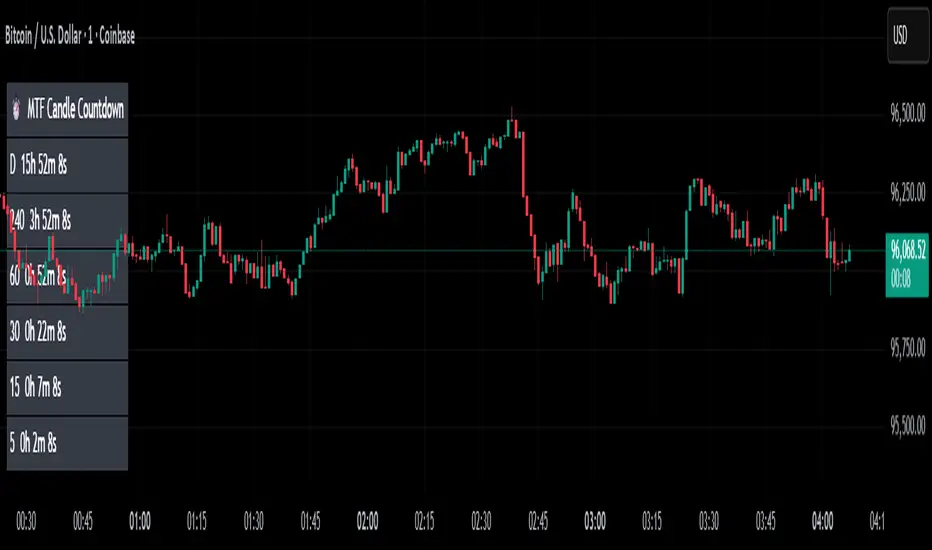
MTF Candle Countdown — HUD V1 (By Price-Action-Art) MTF Candle Countdown — HUD V1 (By Price-Action-Art) A clean, lightweight HUD that shows you exactly how much time is left in multiple higher-timeframe candles — all in one place. This tool is designed for traders who rely on multi-timeframe precision. Instead of constantly switching charts or checking timers, the HUD gives you a real-time countdown for up to six timeframes (Daily, 4H, 1H, 30m, 15m, 5m by default). You can fully customize the timeframes, text size, and HUD position on your chart. Perfect for: Intraday and scalping timing Swing traders waiting for HTF candle closes ICT / SMC structure-based traders Anyone who needs exact candle close timing without distractions Features: Real-time multi-timeframe candle countdown Fully adjustable HUD placement (all corners) Customizable timeframes and text size Clean, minimal, and non-intrusive design Updates only on the last bar for performance efficiency Optional border for a sharper HUD look Whether you’re waiting for a Daily close to confirm structure or timing your entries around 5m/15m candles, this HUD keeps everything visible and precise at a glance. If you find this tool helpful, feel free to like, comment, and follow — it motivates me to keep releasing more tools for the community. Indicador Pine Script®por Price-Action-Art16
Cloud Stoch. with TongkawEasy for every one to using Stoch like a cloud. Clearly to see and actionIndicador Pine Script®por pjung844
Engulfing Candlestick Pattern - BB FilterBeen working on doing a better version of this. This is like version 2.0. Usese this definition of an engulfing candle: tradeciety.com/how-to-trade-the-engulfing-candlestick-pattern As you change the parameters of the Bollinger band the signals will change. You can also set the distance away from the band using ATR muliplier to catch moves near the BB. Per Claude, This setup should give you much higher quality signals since you're filtering for engulfing patterns that occur at the extremes of the Bollinger Bands - exactly like the Tradeciety article recommends. Those are the setups with the best context and highest probability. A few tips for using it: You can adjust the BB Touch Distance slider if you want to be stricter or more lenient about what counts as "touching" the bands Try enabling Strict Mode if you want only the strongest engulfing patterns (where the full range including wicks is engulfed) Works great on higher timeframes like Daily and Weekly for the most reliable signals on NQ and ES I personally use this on the 1000 tick NQ chart. It's not perfect but 2x better than my first attempt. Enjoy. Open to suggestions as well. For entertainment purposes only.Indicador Pine Script®por theAdamWarner11143
Engulfing Candlestick Pattern - BB FilterBeen working on doing a better version of this. This is like version 2.0. Usese this definition of an engulfing candle: tradeciety.com As you change the parameters of the Bollinger band the signals will change. You can also set the distance away from the band using ATR muliplier to catch moves near the BB. Per Claude, This setup should give you much higher quality signals since you're filtering for engulfing patterns that occur at the extremes of the Bollinger Bands - exactly like the Tradeciety article recommends. Those are the setups with the best context and highest probability. A few tips for using it: You can adjust the BB Touch Distance slider if you want to be stricter or more lenient about what counts as "touching" the bands Try enabling Strict Mode if you want only the strongest engulfing patterns (where the full range including wicks is engulfed) Works great on higher timeframes like Daily and Weekly for the most reliable signals on NQ and ES I personally use this on the 1000 tick NQ chart. It's not perfect but 2x better than my first attempt. Enjoy. Open to suggestions as well. For entertainment purposes only. Indicador Pine Script®por theAdamWarner22
Custom ATR TableThis indicator is intended to displays a simple, data-rich ATR table that summarizes volatility and directional bias based on the Average True Range (ATR). It helps you quickly see: The current daily range relative to ATR Potential call and put trigger levels The trend bias based on EMAs ATR measures the average daily volatility — how much price typically moves in one day. This helps identify if the market is moving more or less than usual and calculates how much of the ATR that range covers.Indicador Pine Script®por Jamel-Rashad4
R Dominante by Mata (CRT Madre + CRT Interior)Dominant Range (Green + Red + Outstanding Lines) This script automatically identifies the dominant parent candle (CRT – Candle Range Theory) and draws its range with a green box. It also allows you to create independent red parent candles that function autonomously. Main Features: Main Green Box: Represents the dominant parent candle, following the actual CRT: It is activated and remains active while the price reaches the extremes. It is only invalidated if there is a close outside the range. It is automatically deactivated when it reaches both extremes (high and low). Independent Red Box: Detects ranges independent of the green box and is deactivated when both extremes are reached. Fully Automatic: No manual range adjustments required. Configuration: Adjust the transparency of the boxes and the maximum number of bars to review. Recommended Use: Ideal for traders who apply Candle Range Theory (CRT). Allows for clear identification of dominant and secondary ranges. Useful for determining touch points of extremes and planning strategic entries and exits.Indicador Pine Script®por ismatsix60
Hellenic EMA Matrix - PremiumHellenic EMA Matrix - Alpha Omega Premium Complete User Guide Table of Contents Introduction Indicator Philosophy Mathematical Constants EMA Types Settings Trading Signals Visualization Usage Strategies FAQ Introduction Hellenic EMA Matrix is a premium indicator based on mathematical constants of nature: Phi (Phi - Golden Ratio), Pi (Pi), e (Euler's number). The indicator uses these universal constants to create dynamic EMAs that adapt to the natural rhythms of the market. Key Features: 6 EMA types based on mathematical constants Premium visualization with Neon Glow and Gradient Clouds Automatic Fast/Mid/Slow EMA sorting STRONG signals for powerful trends Pulsing Ribbon Bar for instant trend assessment Works on all timeframes (M1 - MN) Indicator Philosophy Why Mathematical Constants? Traditional EMAs use arbitrary periods (9, 21, 50, 200). Hellenic Matrix goes further, using universal mathematical constants found in nature: Phi (1.618) - Golden Ratio: galaxy spirals, seashells, human body proportions Pi (3.14159) - Pi: circles, waves, cycles e (2.71828) - Natural logarithm base: exponential growth, radioactive decay Markets are also a natural system composed of millions of participants. Using mathematical constants allows tuning into the natural rhythms of market cycles. Mathematical Constants Phi (Phi) - Golden Ratio Phi = 1.618033988749895 Properties: Phi² = Phi + 1 = 2.618 Phi³ = 4.236 Phi⁴ = 6.854 Application: Ideal for trending movements and Fibonacci corrections Pi (Pi) - Pi Number Pi = 3.141592653589793 Properties: 2Pi = 6.283 (full circle) 3Pi = 9.425 4Pi = 12.566 Application: Excellent for cyclical markets and wave structures e (Euler) - Euler's Number e = 2.718281828459045 Properties: e² = 7.389 e³ = 20.085 e⁴ = 54.598 Application: Suitable for exponential movements and volatile markets EMA Types 1. Phi (Phi) - Golden Ratio EMA Description: EMA based on the golden ratio Period Formula: Period = Phi^n × Base Multiplier Parameters: Phi Power Level (1-8): Power of Phi Phi¹ = 1.618 → ~16 period (with Base=10) Phi² = 2.618 → ~26 period Phi³ = 4.236 → ~42 period (recommended) Phi⁴ = 6.854 → ~69 period Recommendations: Phi² or Phi³ for day trading Phi⁴ or Phi⁵ for swing trading Works excellently as Fast EMA 2. Pi (Pi) - Circular EMA Description: EMA based on Pi for cyclical movements Period Formula: Period = Pi × Multiple × Base Multiplier Parameters: Pi Multiple (1-10): Pi multiplier 1Pi = 3.14 → ~31 period (with Base=10) 2Pi = 6.28 → ~63 period (recommended) 3Pi = 9.42 → ~94 period Recommendations: 2Pi ideal as Mid or Slow EMA Excellently identifies cycles and waves Use on volatile markets (crypto, forex) 3. e (Euler) - Natural EMA Description: EMA based on natural logarithm Period Formula: Period = e^n × Base Multiplier Parameters: e Power Level (1-6): Power of e e¹ = 2.718 → ~27 period (with Base=10) e² = 7.389 → ~74 period (recommended) e³ = 20.085 → ~201 period Recommendations: e² works excellently as Slow EMA Ideal for stocks and indices Filters noise well on lower timeframes 4. Delta (Delta) - Adaptive EMA Description: Adaptive EMA that changes period based on volatility Period Formula: Period = Base Period × (1 + (Volatility - 1) × Factor) Parameters: Delta Base Period (5-200): Base period (default 20) Delta Volatility Sensitivity (0.5-5.0): Volatility sensitivity (default 2.0) How it works: During low volatility → period decreases → EMA reacts faster During high volatility → period increases → EMA smooths noise Recommendations: Works excellently on news and sharp movements Use as Fast EMA for quick adaptation Sensitivity 2.0-3.0 for crypto, 1.0-2.0 for stocks 5. Sigma (Sigma) - Composite EMA Description: Composite EMA combining multiple active EMAs Composition Methods: Weighted Average (default): Sigma = (Phi + Pi + e + Delta) / 4 Simple average of all active EMAs Geometric Mean: Sigma = fourth_root(Phi × Pi × e × Delta) Geometric mean (more conservative) Harmonic Mean: Sigma = 4 / (1/Phi + 1/Pi + 1/e + 1/Delta) Harmonic mean (more weight to smaller values) Recommendations: Enable for additional confirmation Use as Mid EMA Weighted Average - most universal method 6. Lambda (Lambda) - Wave EMA Description: Wave EMA with sinusoidal period modulation Period Formula: Period = Base Period × (1 + Amplitude × sin(2Pi × bar / Frequency)) Parameters: Lambda Base Period (10-200): Base period Lambda Wave Amplitude (0.1-2.0): Wave amplitude Lambda Wave Frequency (10-200): Wave frequency in bars How it works: Period pulsates sinusoidally Creates wave effect following market cycles Recommendations: Experimental EMA for advanced users Works well on cyclical markets Frequency = 50 for day trading, 100+ for swing Settings Matrix Core Settings Base Multiplier (1-100) Multiplies all EMA periods Base = 1: Very fast EMAs (Phi³ = 4, 2Pi = 6, e² = 7) Base = 10: Standard (Phi³ = 42, 2Pi = 63, e² = 74) Base = 20: Slow EMAs (Phi³ = 85, 2Pi = 126, e² = 148) Recommendations by timeframe: M1-M5: Base = 5-10 M15-H1: Base = 10-15 (recommended) H4-D1: Base = 15-25 W1-MN: Base = 25-50 Matrix Source Data source selection for EMA calculation: close - closing price (standard) open - opening price high - high low - low hl2 - (high + low) / 2 hlc3 - (high + low + close) / 3 ohlc4 - (open + high + low + close) / 4 When to change: hlc3 or ohlc4 for smoother signals high for aggressive longs low for aggressive shorts Manual EMA Selection Critically important setting! Determines which EMAs are used for signal generation. Use Manual Fast/Slow/Mid Selection Enabled (default): You select EMAs manually Disabled: Automatic selection by periods Fast EMA Fast EMA - reacts first to price changes Recommendations: Phi Golden (recommended) - universal choice Delta Adaptive - for volatile markets Must be fastest (smallest period) Slow EMA Slow EMA - determines main trend Recommendations: Pi Circular (recommended) - excellent trend filter e Natural - for smoother trend Must be slowest (largest period) Mid EMA Mid EMA - additional signal filter Recommendations: e Natural (recommended) - excellent middle level Pi Circular - alternative None - for more frequent signals (only 2 EMAs) IMPORTANT: The indicator automatically sorts selected EMAs by their actual periods: Fast = EMA with smallest period Mid = EMA with middle period Slow = EMA with largest period Therefore, you can select any combination - the indicator will arrange them correctly! Premium Visualization Neon Glow Enable Neon Glow for EMAs - adds glowing effect around EMA lines Glow Strength: Light - subtle glow Medium (recommended) - optimal balance Strong - bright glow (may be too bright) Effect: 2 glow layers around each EMA for 3D effect Gradient Clouds Enable Gradient Clouds - fills space between EMAs with gradient Parameters: Cloud Transparency (85-98): Cloud transparency 95-97 (recommended) Higher = more transparent Dynamic Cloud Intensity - automatically changes transparency based on EMA distance Cloud Colors: Phi-Pi Cloud: Blue - when Pi above Phi (bullish) Gold - when Phi above Pi (bearish) Pi-e Cloud: Green - when e above Pi (bullish) Blue - when Pi above e (bearish) 2 layers for volumetric effect Pulsing Ribbon Bar Enable Pulsing Indicator Bar - pulsing strip at bottom/top of chart Parameters: Ribbon Position: Top / Bottom (recommended) Pulse Speed: Slow / Medium (recommended) / Fast Symbols and colors: Green filled square - STRONG BULLISH Pink filled square - STRONG BEARISH Blue hollow square - Bullish (regular) Red hollow square - Bearish (regular) Purple rectangle - Neutral Effect: Pulsation with sinusoid for living market feel Signal Bar Highlights Enable Signal Bar Highlights - highlights bars with signals Parameters: Highlight Transparency (88-96): Highlight transparency Highlight Style: Light Fill (recommended) - bar background fill Thin Line - bar outline only Highlights: Golden Cross - green Death Cross - pink STRONG BUY - green STRONG SELL - pink Show Greek Labels Shows Greek alphabet letters on last bar: Phi - Phi EMA (gold) Pi - Pi EMA (blue) e - Euler EMA (green) Delta - Delta EMA (purple) Sigma - Sigma EMA (pink) When to use: For education or presentations Show Old Background Old background style (not recommended): Green background - STRONG BULLISH Pink background - STRONG BEARISH Blue background - Bullish Red background - Bearish Not recommended - use new Gradient Clouds and Pulsing Bar Info Table Show Info Table - table with indicator information Parameters: Position: Top Left / Top Right (recommended) / Bottom Left / Bottom Right Size: Tiny / Small (recommended) / Normal / Large Table contents: EMA list - periods and current values of all active EMAs Effects - active visual effects TREND - current trend state: STRONG UP - strong bullish STRONG DOWN - strong bearish Bullish - regular bullish Bearish - regular bearish Neutral - neutral Momentum % - percentage deviation of price from Fast EMA Setup - current Fast/Slow/Mid configuration Trading Signals Show Golden/Death Cross Golden Cross - Fast EMA crosses Slow EMA from below (bullish signal) Death Cross - Fast EMA crosses Slow EMA from above (bearish signal) Symbols: Yellow dot "GC" below - Golden Cross Dark red dot "DC" above - Death Cross Show STRONG Signals STRONG BUY and STRONG SELL - the most powerful indicator signals Conditions for STRONG BULLISH: EMA Alignment: Fast > Mid > Slow (all EMAs aligned) Trend: Fast > Slow (clear uptrend) Distance: EMAs separated by minimum 0.15% Price Position: Price above Fast EMA Fast Slope: Fast EMA rising Slow Slope: Slow EMA rising Mid Trending: Mid EMA also rising (if enabled) Conditions for STRONG BEARISH: Same but in reverse Visual display: Green label "STRONG BUY" below bar Pink label "STRONG SELL" above bar Difference from Golden/Death Cross: Golden/Death Cross = crossing moment (1 bar) STRONG signal = sustained trend (lasts several bars) IMPORTANT: After fixes, STRONG signals now: Work on all timeframes (M1 to MN) Don't break on small retracements Work with any Fast/Mid/Slow combination Automatically adapt thanks to EMA sorting Show Stop Loss/Take Profit Automatic SL/TP level calculation on STRONG signal Parameters: Stop Loss (ATR) (0.5-5.0): ATR multiplier for stop loss 1.5 (recommended) - standard 1.0 - tight stop 2.0-3.0 - wide stop Take Profit R:R (1.0-5.0): Risk/reward ratio 2.0 (recommended) - standard (risk 1.5 ATR, profit 3.0 ATR) 1.5 - conservative 3.0-5.0 - aggressive Formulas: LONG: Stop Loss = Entry - (ATR × Stop Loss ATR) Take Profit = Entry + (ATR × Stop Loss ATR × Take Profit R:R) SHORT: Stop Loss = Entry + (ATR × Stop Loss ATR) Take Profit = Entry - (ATR × Stop Loss ATR × Take Profit R:R) Visualization: Red X - Stop Loss Green X - Take Profit Levels remain active while STRONG signal persists Trading Signals Signal Types 1. Golden Cross Description: Fast EMA crosses Slow EMA from below Signal: Beginning of bullish trend How to trade: ENTRY: On bar close with Golden Cross STOP: Below local low or below Slow EMA TARGET: Next resistance level or 2:1 R:R Strengths: Simple and clear Works well on trending markets Clear entry point Weaknesses: Lags (signal after movement starts) Many false signals in ranging markets May be late on fast moves Optimal timeframes: H1, H4, D1 2. Death Cross Description: Fast EMA crosses Slow EMA from above Signal: Beginning of bearish trend How to trade: ENTRY: On bar close with Death Cross STOP: Above local high or above Slow EMA TARGET: Next support level or 2:1 R:R Application: Mirror of Golden Cross 3. STRONG BUY Description: All EMAs aligned + trend + all EMAs rising Signal: Powerful bullish trend How to trade: ENTRY: On bar close with STRONG BUY or on pullback to Fast EMA STOP: Below Fast EMA or automatic SL (if enabled) TARGET: Automatic TP (if enabled) or by levels TRAILING: Follow Fast EMA Entry strategies: Aggressive: Enter immediately on signal Conservative: Wait for pullback to Fast EMA, then enter on bounce Pyramiding: Add positions on pullbacks to Mid EMA Position management: Hold while STRONG signal active Exit on STRONG SELL or Death Cross appearance Move stop behind Fast EMA Strengths: Most reliable indicator signal Doesn't break on pullbacks Catches large moves Works on all timeframes Weaknesses: Appears less frequently than other signals Requires confirmation (multiple conditions) Optimal timeframes: All (M5 - D1) 4. STRONG SELL Description: All EMAs aligned down + downtrend + all EMAs falling Signal: Powerful bearish trend How to trade: Mirror of STRONG BUY Visual Signals Pulsing Ribbon Bar Quick market assessment at a glance: Symbol Color State Filled square Green STRONG BULLISH Filled square Pink STRONG BEARISH Hollow square Blue Bullish Hollow square Red Bearish Rectangle Purple Neutral Pulsation: Sinusoidal, creates living effect Signal Bar Highlights Bars with signals are highlighted: Green highlight: STRONG BUY or Golden Cross Pink highlight: STRONG SELL or Death Cross Gradient Clouds Colored space between EMAs shows trend strength: Wide clouds - strong trend Narrow clouds - weak trend or consolidation Color change - trend change Info Table Quick reference in corner: TREND: Current state (STRONG UP, Bullish, Neutral, Bearish, STRONG DOWN) Momentum %: Movement strength Effects: Active visual effects Setup: Fast/Slow/Mid configuration Usage Strategies Strategy 1: "Golden Trailing" Idea: Follow STRONG signals using Fast EMA as trailing stop Settings: Fast: Phi Golden (Phi³) Mid: Pi Circular (2Pi) Slow: e Natural (e²) Base Multiplier: 10 Timeframe: H1, H4 Entry rules: Wait for STRONG BUY Enter on bar close or on pullback to Fast EMA Stop below Fast EMA Management: Hold position while STRONG signal active Move stop behind Fast EMA daily Exit on STRONG SELL or Death Cross Take Profit: Partially close at +2R Trail remainder until exit signal For whom: Swing traders, trend followers Pros: Catches large moves Simple rules Emotionally comfortable Cons: Requires patience Possible extended drawdowns on pullbacks Strategy 2: "Scalping Bounces" Idea: Scalp bounces from Fast EMA during STRONG trend Settings: Fast: Delta Adaptive (Base 15, Sensitivity 2.0) Mid: Phi Golden (Phi²) Slow: Pi Circular (2Pi) Base Multiplier: 5 Timeframe: M5, M15 Entry rules: STRONG signal must be active Wait for price pullback to Fast EMA Enter on bounce (candle closes above/below Fast EMA) Stop behind local extreme (15-20 pips) Take Profit: +1.5R or to Mid EMA Or to next level For whom: Active day traders Pros: Many signals Clear entry point Quick profits Cons: Requires constant monitoring Not all bounces work Requires discipline for frequent trading Strategy 3: "Triple Filter" Idea: Enter only when all 3 EMAs and price perfectly aligned Settings: Fast: Phi Golden (Phi³) Mid: e Natural (e²) Slow: Pi Circular (3Pi) Base Multiplier: 15 Timeframe: H4, D1 Entry rules (LONG): STRONG BUY active Price above all three EMAs Fast > Mid > Slow (all aligned) All EMAs rising (slope up) Gradient Clouds wide and bright Entry: On bar close meeting all conditions Or on next pullback to Fast EMA Stop: Below Mid EMA or -1.5 ATR Take Profit: First target: +3R Second target: next major level Trailing: Mid EMA For whom: Conservative swing traders, investors Pros: Very reliable signals Minimum false entries Large profit potential Cons: Rare signals (2-5 per month) Requires patience Strategy 4: "Adaptive Scalper" Idea: Use only Delta Adaptive EMA for quick volatility reaction Settings: Fast: Delta Adaptive (Base 10, Sensitivity 3.0) Mid: None Slow: Delta Adaptive (Base 30, Sensitivity 2.0) Base Multiplier: 3 Timeframe: M1, M5 Feature: Two different Delta EMAs with different settings Entry rules: Golden Cross between two Delta EMAs Both Delta EMAs must be rising/falling Enter on next bar Stop: 10-15 pips or below Slow Delta EMA Take Profit: +1R to +2R Or Death Cross For whom: Scalpers on cryptocurrencies and forex Pros: Instant volatility adaptation Many signals on volatile markets Quick results Cons: Much noise on calm markets Requires fast execution High commissions may eat profits Strategy 5: "Cyclical Trader" Idea: Use Pi and Lambda for trading cyclical markets Settings: Fast: Pi Circular (1Pi) Mid: Lambda Wave (Base 30, Amplitude 0.5, Frequency 50) Slow: Pi Circular (3Pi) Base Multiplier: 10 Timeframe: H1, H4 Entry rules: STRONG signal active Lambda Wave EMA synchronized with trend Enter on bounce from Lambda Wave For whom: Traders of cyclical assets (some altcoins, commodities) Pros: Catches cyclical movements Lambda Wave provides additional entry points Cons: More complex to configure Not for all markets Lambda Wave may give false signals Strategy 6: "Multi-Timeframe Confirmation" Idea: Use multiple timeframes for confirmation Scheme: Higher TF (D1): Determine trend direction (STRONG signal) Middle TF (H4): Wait for STRONG signal in same direction Lower TF (M15): Look for entry point (Golden Cross or bounce from Fast EMA) Settings for all TFs: Fast: Phi Golden (Phi³) Mid: e Natural (e²) Slow: Pi Circular (2Pi) Base Multiplier: 10 Rules: All 3 TFs must show one trend Entry on lower TF Stop by lower TF Target by higher TF For whom: Serious traders and investors Pros: Maximum reliability Large profit targets Minimum false signals Cons: Rare setups Requires analysis of multiple charts Experience needed Practical Tips DOs Use STRONG signals as primary - they're most reliable Let signals develop - don't exit on first pullback Use trailing stop - follow Fast EMA Combine with levels - S/R, Fibonacci, volumes Test on demo before real Adjust Base Multiplier for your timeframe Enable visual effects - they help see the picture Use Info Table - quick situation assessment Watch Pulsing Bar - instant state indicator Trust auto-sorting of Fast/Mid/Slow DON'Ts Don't trade against STRONG signal - trend is your friend Don't ignore Mid EMA - it adds reliability Don't use too small Base Multiplier on higher TFs Don't enter on Golden Cross in range - check for trend Don't change settings during open position Don't forget risk management - 1-2% per trade Don't trade all signals in row - choose best ones Don't use indicator in isolation - combine with Price Action Don't set too tight stops - let trade breathe Don't over-optimize - simplicity = reliability Optimal Settings by Asset US Stocks (SPY, AAPL, TSLA) Recommendation: Fast: Phi Golden (Phi³) Mid: e Natural (e²) Slow: Pi Circular (2Pi) Base: 10-15 Timeframe: H4, D1 Features: Use on daily for swing STRONG signals very reliable Works well on trending stocks Forex (EUR/USD, GBP/USD) Recommendation: Fast: Delta Adaptive (Base 15, Sens 2.0) Mid: Phi Golden (Phi²) Slow: Pi Circular (2Pi) Base: 8-12 Timeframe: M15, H1, H4 Features: Delta Adaptive works excellently on news Many signals on M15-H1 Consider spreads Cryptocurrencies (BTC, ETH, altcoins) Recommendation: Fast: Delta Adaptive (Base 10, Sens 3.0) Mid: Pi Circular (2Pi) Slow: e Natural (e²) Base: 5-10 Timeframe: M5, M15, H1 Features: High volatility - adaptation needed STRONG signals can last days Be careful with scalping on M1-M5 Commodities (Gold, Oil) Recommendation: Fast: Pi Circular (1Pi) Mid: Phi Golden (Phi³) Slow: Pi Circular (3Pi) Base: 12-18 Timeframe: H4, D1 Features: Pi works excellently on cyclical commodities Gold responds especially well to Phi Oil volatile - use wide stops Indices (S&P500, Nasdaq, DAX) Recommendation: Fast: Phi Golden (Phi³) Mid: e Natural (e²) Slow: Pi Circular (2Pi) Base: 15-20 Timeframe: H4, D1, W1 Features: Very trending instruments STRONG signals last weeks Good for position trading Alerts The indicator supports 6 alert types: 1. Golden Cross Message: "Hellenic Matrix: GOLDEN CROSS - Fast EMA crossed above Slow EMA - Bullish trend starting!" When: Fast EMA crosses Slow EMA from below 2. Death Cross Message: "Hellenic Matrix: DEATH CROSS - Fast EMA crossed below Slow EMA - Bearish trend starting!" When: Fast EMA crosses Slow EMA from above 3. STRONG BULLISH Message: "Hellenic Matrix: STRONG BULLISH SIGNAL - All EMAs aligned for powerful uptrend!" When: All conditions for STRONG BUY met (first bar) 4. STRONG BEARISH Message: "Hellenic Matrix: STRONG BEARISH SIGNAL - All EMAs aligned for powerful downtrend!" When: All conditions for STRONG SELL met (first bar) 5. Bullish Ribbon Message: "Hellenic Matrix: BULLISH RIBBON - EMAs aligned for uptrend" When: EMAs aligned bullish + price above Fast EMA (less strict condition) 6. Bearish Ribbon Message: "Hellenic Matrix: BEARISH RIBBON - EMAs aligned for downtrend" When: EMAs aligned bearish + price below Fast EMA (less strict condition) How to Set Up Alerts: Open indicator on chart Click on three dots next to indicator name Select "Create Alert" In "Condition" field select needed alert: Golden Cross Death Cross STRONG BULLISH STRONG BEARISH Bullish Ribbon Bearish Ribbon Configure notification method: Pop-up in browser Email SMS (in Premium accounts) Push notifications in mobile app Webhook (for automation) Select frequency: Once Per Bar Close (recommended) - once on bar close Once Per Bar - during bar formation Only Once - only first time Click "Create" Tip: Create separate alerts for different timeframes and instruments FAQ 1. Why don't STRONG signals appear? Possible reasons: Incorrect Fast/Mid/Slow order Solution: Indicator automatically sorts EMAs by periods, but ensure selected EMAs have different periods Base Multiplier too large Solution: Reduce Base to 5-10 on lower timeframes Market in range Solution: STRONG signals appear only in trends - this is normal Too strict EMA settings Solution: Try classic combination: Phi³ / Pi×2 / e² with Base=10 Mid EMA too close to Fast or Slow Solution: Select Mid EMA with period between Fast and Slow 2. How often should STRONG signals appear? Normal frequency: M1-M5: 5-15 signals per day (very active markets) M15-H1: 2-8 signals per day H4: 3-10 signals per week D1: 2-5 signals per month W1: 2-6 signals per year If too many signals - market very volatile or Base too small If too few signals - market in range or Base too large 4. What are the best settings for beginners? Universal "out of the box" settings: Matrix Core: Base Multiplier: 10 Source: close Phi Golden: Enabled, Power = 3 Pi Circular: Enabled, Multiple = 2 e Natural: Enabled, Power = 2 Delta Adaptive: Enabled, Base = 20, Sensitivity = 2.0 Manual Selection: Fast: Phi Golden Mid: e Natural Slow: Pi Circular Visualization: Gradient Clouds: ON Neon Glow: ON (Medium) Pulsing Bar: ON (Medium) Signal Highlights: ON (Light Fill) Table: ON (Top Right, Small) Signals: Golden/Death Cross: ON STRONG Signals: ON Stop Loss: OFF (while learning) Timeframe for learning: H1 or H4 5. Can I use only one EMA? No, minimum 2 EMAs (Fast and Slow) for signal generation. Mid EMA is optional: With Mid EMA = more reliable but rarer signals Without Mid EMA = more signals but less strict filtering Recommendation: Start with 3 EMAs (Fast/Mid/Slow), then experiment 6. Does the indicator work on cryptocurrencies? Yes, works excellently! Especially good on: Bitcoin (BTC) Ethereum (ETH) Major altcoins (SOL, BNB, XRP) Recommended settings for crypto: Fast: Delta Adaptive (Base 10-15, Sensitivity 2.5-3.0) Mid: Pi Circular (2Pi) Slow: e Natural (e²) Base: 5-10 Timeframe: M15, H1, H4 Crypto market features: High volatility → use Delta Adaptive 24/7 trading → set alerts Sharp movements → wide stops 7. Can I trade only with this indicator? Technically yes, but NOT recommended. Best approach - combine with: Price Action - support/resistance levels, candle patterns Volume - movement strength confirmation Fibonacci - retracement and extension levels RSI/MACD - divergences and overbought/oversold Fundamental analysis - news, company reports Hellenic Matrix: Excellently determines trend and its strength Provides clear entry/exit points Doesn't consider fundamentals Doesn't see major levels 8. Why do Gradient Clouds change color? Color depends on EMA order: Phi-Pi Cloud: Blue - Pi EMA above Phi EMA (bullish alignment) Gold - Phi EMA above Pi EMA (bearish alignment) Pi-e Cloud: Green - e EMA above Pi EMA (bullish alignment) Blue - Pi EMA above e EMA (bearish alignment) Color change = EMA order change = possible trend change 9. What is Momentum % in the table? Momentum % = percentage deviation of price from Fast EMA Formula: Momentum = ((Close - Fast EMA) / Fast EMA) × 100 Interpretation: +0.5% to +2% - normal bullish momentum +2% to +5% - strong bullish momentum +5% and above - overheating (correction possible) -0.5% to -2% - normal bearish momentum -2% to -5% - strong bearish momentum -5% and below - oversold (bounce possible) Usage: Monitor momentum during STRONG signals Large momentum = don't enter (wait for pullback) Small momentum = good entry point 10. How to configure for scalping? Settings for scalping (M1-M5): Base Multiplier: 3-5 Source: close or hlc3 (smoother) Fast: Delta Adaptive (Base 8-12, Sensitivity 3.0) Mid: None (for more signals) Slow: Phi Golden (Phi²) or Pi Circular (1Pi) Visualization: - Gradient Clouds: ON (helps see strength) - Neon Glow: OFF (doesn't clutter chart) - Pulsing Bar: ON (quick assessment) - Signal Highlights: ON Signals: - Golden/Death Cross: ON - STRONG Signals: ON - Stop Loss: ON (1.0-1.5 ATR, R:R 1.5-2.0) Scalping rules: Trade only STRONG signals Enter on bounce from Fast EMA Tight stops (10-20 pips) Quick take profit (+1R to +2R) Don't hold through news 11. How to configure for long-term investing? Settings for investing (D1-W1): Base Multiplier: 20-30 Source: close Fast: Phi Golden (Phi³ or Phi⁴) Mid: e Natural (e²) Slow: Pi Circular (3Pi or 4Pi) Visualization: - Gradient Clouds: ON - Neon Glow: ON (Medium) - Everything else - to taste Signals: - Golden/Death Cross: ON - STRONG Signals: ON - Stop Loss: OFF (use percentage stop) Investing rules: Enter only on STRONG signals Hold while STRONG active (weeks/months) Stop below Slow EMA or -10% Take profit: by company targets or +50-100% Ignore short-term pullbacks 12. What if indicator slows down chart? Indicator is optimized, but if it slows: Disable unnecessary visual effects: Neon Glow: OFF (saves 8 plots) Gradient Clouds: ON but low quality Lambda Wave EMA: OFF (if not using) Reduce number of active EMAs: Sigma Composite: OFF Lambda Wave: OFF Leave only Phi, Pi, e, Delta Simplify settings: Pulsing Bar: OFF Greek Labels: OFF Info Table: smaller size 13. Can I use on different timeframes simultaneously? Yes! Multi-timeframe analysis is very powerful: Classic scheme: Higher TF (D1, W1) - determine global trend Wait for STRONG signal This is our trading direction Middle TF (H4, H1) - look for confirmation STRONG signal in same direction Precise entry zone Lower TF (M15, M5) - entry point Golden Cross or bounce from Fast EMA Precise stop loss Example: W1: STRONG BUY active (global uptrend) H4: STRONG BUY appeared (confirmation) M15: Wait for Golden Cross or bounce from Fast EMA → ENTRY Advantages: Maximum reliability Clear timeframe hierarchy Large targets 14. How does indicator work on news? Delta Adaptive EMA adapts excellently to news: Before news: Low volatility → Delta EMA becomes fast → pulls to price During news: Sharp volatility spike → Delta EMA slows → filters noise After news: Volatility normalizes → Delta EMA returns to normal Recommendations: Don't trade at news release moment (spreads widen) Wait for STRONG signal after news (2-5 bars) Use Delta Adaptive as Fast EMA for quick reaction Widen stops by 50-100% during important news Advanced Techniques Technique 1: "Divergences with EMA" Idea: Look for discrepancies between price and Fast EMA Bullish divergence: Price makes lower low Fast EMA makes higher low = Possible reversal up Bearish divergence: Price makes higher high Fast EMA makes lower high = Possible reversal down How to trade: Find divergence Wait for STRONG signal in divergence direction Enter on confirmation Technique 2: "EMA Tunnel" Idea: Use space between Fast and Slow EMA as "tunnel" Rules: Wide tunnel - strong trend, hold position Narrow tunnel - weak trend or consolidation, caution Tunnel narrowing - trend weakening, prepare to exit Tunnel widening - trend strengthening, can add Visually: Gradient Clouds show this automatically! Trading: Enter on STRONG signal (tunnel starts widening) Hold while tunnel wide Exit when tunnel starts narrowing Technique 3: "Wave Analysis with Lambda" Idea: Lambda Wave EMA creates sinusoid matching market cycles Setup: Lambda Base Period: 30 Lambda Wave Amplitude: 0.5 Lambda Wave Frequency: 50 (adjusted to asset cycle) How to find correct Frequency: Look at historical cycles (distance between local highs) Average distance = your Frequency Example: if highs every 40-60 bars, set Frequency = 50 Trading: Enter when Lambda Wave at bottom of sinusoid (growth potential) Exit when Lambda Wave at top (fall potential) Combine with STRONG signals Technique 4: "Cluster Analysis" Idea: When all EMAs gather in narrow cluster = powerful breakout soon Cluster signs: All EMAs (Phi, Pi, e, Delta) within 0.5-1% of each other Gradient Clouds almost invisible Price jumping around all EMAs Trading: Identify cluster (all EMAs close) Determine breakout direction (where more volume, higher TFs direction) Wait for breakout and STRONG signal Enter on confirmation Target = cluster size × 3-5 This is very powerful technique for big moves! Technique 5: "Sigma as Dynamic Level" Idea: Sigma Composite EMA = average of all EMAs = magnetic level Usage: Enable Sigma Composite (Weighted Average) Sigma works as dynamic support/resistance Price often returns to Sigma before trend continuation Trading: In trend: Enter on bounces from Sigma In range: Fade moves from Sigma (trade return to Sigma) On breakout: Sigma becomes support/resistance Risk Management Basic Rules 1. Position Size Conservative: 1% of capital per trade Moderate: 2% of capital per trade (recommended) Aggressive: 3-5% (only for experienced) Calculation formula: Lot Size = (Capital × Risk%) / (Stop in pips × Pip value) 2. Risk/Reward Ratio Minimum: 1:1.5 Standard: 1:2 (recommended) Optimal: 1:3 Aggressive: 1:5+ 3. Maximum Drawdown Daily: -3% to -5% Weekly: -7% to -10% Monthly: -15% to -20% Upon reaching limit → STOP trading until end of period Position Management Strategies 1. Fixed Stop Method: Stop below/above Fast EMA or local extreme DON'T move stop against position Can move to breakeven For whom: Beginners, conservative traders 2. Trailing by Fast EMA Method: Each day (or bar) move stop to Fast EMA level Position closes when price breaks Fast EMA Advantages: Stay in trend as long as possible Automatically exit on reversal For whom: Trend followers, swing traders 3. Partial Exit Method: 50% of position close at +2R 50% hold with trailing by Mid EMA or Slow EMA Advantages: Lock profit Leave position for big move Psychologically comfortable For whom: Universal method (recommended) 4. Pyramiding Method: First entry on STRONG signal (50% of planned position) Add 25% on pullback to Fast EMA Add another 25% on pullback to Mid EMA Overall stop below Slow EMA Advantages: Average entry price Reduce risk Increase profit in strong trends Caution: Works only in trends In range leads to losses For whom: Experienced traders Trading Psychology Correct Mindset 1. Indicator is a tool, not holy grail Indicator shows probability, not guarantee There will be losing trades - this is normal Important is series statistics, not one trade 2. Trust the system If STRONG signal appeared - enter Don't search for "perfect" moment Follow trading plan 3. Patience STRONG signals don't appear every day Better miss signal than enter against trend Quality over quantity 4. Discipline Always set stop loss Don't move stop against position Don't increase risk after losses Beginner Mistakes 1. "I know better than indicator" Indicator says STRONG BUY, but you think "too high, will wait for pullback" Result: miss profitable move Solution: Trust signals or don't use indicator 2. "Will reverse now for sure" Trading against STRONG trend Result: stops, stops, stops Solution: Trend is your friend, trade with trend 3. "Will hold a bit more" Don't exit when STRONG signal disappears Greed eats profit Solution: If signal gone - exit! 4. "I'll recover" After losses double risk Result: huge losses Solution: Fixed % risk ALWAYS 5. "I don't like this signal" Skip signals because of "feeling" Result: inconsistency, no statistics Solution: Trade ALL signals or clearly define filters Trading Journal What to Record For each trade: 1. Entry/exit date and time 2. Instrument and timeframe 3. Signal type Golden Cross STRONG BUY STRONG SELL Death Cross 4. Indicator settings Fast/Mid/Slow EMA Base Multiplier Other parameters 5. Chart screenshot Entry moment Exit moment 6. Trade parameters Position size Stop loss Take Profit R:R 7. Result Profit/Loss in $ Profit/Loss in % Profit/Loss in R 8. Notes What was right What was wrong Emotions during trade Lessons Journal Analysis Analyze weekly: 1. Win Rate Win Rate = (Profitable trades / All trades) × 100% Good: 50-60% Excellent: 60-70% Exceptional: 70%+ 2. Average R Average R = Sum of all R / Number of trades Good: +0.5R Excellent: +1.0R Exceptional: +1.5R+ 3. Profit Factor Profit Factor = Total profit / Total losses Good: 1.5+ Excellent: 2.0+ Exceptional: 3.0+ 4. Maximum Drawdown Track consecutive losses If more than 5 in row - stop, check system 5. Best/Worst Trades What was common in best trades? (do more) What was common in worst trades? (avoid) Pre-Trade Checklist Technical Analysis STRONG signal active (BUY or SELL) All EMAs properly aligned (Fast > Mid > Slow or reverse) Price on correct side of Fast EMA Gradient Clouds confirm trend Pulsing Bar shows STRONG state Momentum % in normal range (not overheated) No close strong levels against direction Higher timeframe doesn't contradict Risk Management Position size calculated (1-2% risk) Stop loss set Take profit calculated (minimum 1:2) R:R satisfactory Daily/weekly risk limit not exceeded No other open correlated positions Fundamental Analysis No important news in coming hours Market session appropriate (liquidity) No contradicting fundamentals Understand why asset is moving Psychology Calm and thinking clearly No emotions from previous trades Ready to accept loss at stop Following trading plan Not revenging market for past losses If at least one point is NO - think twice before entering! Learning Roadmap Week 1: Familiarization Goals: Install and configure indicator Study all EMA types Understand visualization Tasks: Add indicator to chart Test all Fast/Mid/Slow settings Play with Base Multiplier on different timeframes Observe Gradient Clouds and Pulsing Bar Study Info Table Result: Comfort with indicator interface Week 2: Signals Goals: Learn to recognize all signal types Understand difference between Golden Cross and STRONG Tasks: Find 10 Golden Cross examples in history Find 10 STRONG BUY examples in history Compare their results (which worked better) Set up alerts Get 5 real alerts Result: Understanding signals Week 3: Demo Trading Goals: Start trading signals on demo account Gather statistics Tasks: Open demo account Trade ONLY STRONG signals Keep journal (minimum 20 trades) Don't change indicator settings Strictly follow stop losses Result: 20+ documented trades Week 4: Analysis Goals: Analyze demo trading results Optimize approach Tasks: Calculate win rate and average R Find patterns in profitable trades Find patterns in losing trades Adjust approach (not indicator!) Write trading plan Result: Trading plan on 1 page Month 2: Improvement Goals: Deepen understanding Add additional techniques Tasks: Study multi-timeframe analysis Test combinations with Price Action Try advanced techniques (divergences, tunnels) Continue demo trading (minimum 50 trades) Achieve stable profitability on demo Result: Win rate 55%+ and Profit Factor 1.5+ Month 3: Real Trading Goals: Transition to real account Maintain discipline Tasks: Open small real account Trade minimum lots Strictly follow trading plan DON'T increase risk Focus on process, not profit Result: Psychological comfort on real Month 4+: Scaling Goals: Increase account Become consistently profitable Tasks: With 60%+ win rate can increase risk to 2% Upon doubling account can add capital Continue keeping journal Periodically review and improve strategy Share experience with community Result: Stable profitability month after month Additional Resources Recommended Reading Technical Analysis: "Technical Analysis of Financial Markets" - John Murphy "Trading in the Zone" - Mark Douglas (psychology) "Market Wizards" - Jack Schwager (trader interviews) EMA and Moving Averages: "Moving Averages 101" - Steve Burns Articles on Investopedia about EMA Risk Management: "The Mathematics of Money Management" - Ralph Vince "Trade Your Way to Financial Freedom" - Van K. Tharp Trading Journals: Edgewonk (paid, very powerful) Tradervue (free version + premium) Excel/Google Sheets (free) Screeners: TradingView Stock Screener Finviz (stocks) CoinMarketCap (crypto) Conclusion Hellenic EMA Matrix is a powerful tool based on universal mathematical constants of nature. The indicator combines: Mathematical elegance - Phi, Pi, e instead of arbitrary numbers Premium visualization - Neon Glow, Gradient Clouds, Pulsing Bar Reliable signals - STRONG BUY/SELL work on all timeframes Flexibility - 6 EMA types, adaptation to any trading style Automation - auto-sorting EMAs, SL/TP calculation, alerts Key Success Principles: Simplicity - start with basic settings (Phi/Pi/e, Base=10) Discipline - follow STRONG signals strictly Patience - wait for quality setups Risk Management - 1-2% per trade, ALWAYS Journal - document every trade Learning - constantly improve skills Remember: Indicator shows probability, not guarantee Important is series statistics, not one trade Psychology more important than technique Quality more important than quantity Process more important than result Acknowledgments Thank you for using Hellenic EMA Matrix - Alpha Omega Premium! The indicator was created with love for mathematics, markets, and beautiful visualization. Wishing you profitable trading! Guide Version: 1.0 Date: 2025 Compatibility: Pine Script v6, TradingView "In the simplicity of mathematical constants lies the complexity of market movements"Indicador Pine Script®por Sesilya101
Asia & UK Sessions H/LThis will show you the Highs and Lows of the Asia and UK sessions on the same day.Indicador Pine Script®por manchante16Actualizado 5
ECG PRICE - mauricioofsousa📉 ECG PRICE – The Price Electrocardiogram (explained for traders, scientists, and complete beginners) 🔍 1. WHAT IS THE ECG PRICE? The ECG PRICE protocol is a market-reading system based on the RSI, but with a surgical twist: 👉 You don’t just calculate RSI from price. 👉 You adjust the price using the RSI, and then calculate RSI over this adjusted price. This creates a filtered, amplified signal that behaves like a heart monitor for price, detecting micro-impulses and subtle market movements long before they show up in the standard RSI. 🧬 2. CORE IDEA Just like a real ECG amplifies and reveals electrical rhythms hidden inside the heartbeat, the ECG PRICE amplifies micro-deformations hidden inside the price’s momentum. It works in three stages: Compute the regular RSI Use the RSI to adjust the price (creating an electrocardiographic price) Compute a second RSI over this modified price The result is a meta-derived oscillator—more sensitive, more precise, and better at detecting structural changes. 🧩 3. TECHNICAL BREAKDOWN 3.1. First RSI (classic) The script calculates: average gains average losses relative strength (RS) and then the standard 0–100 RSI This is the “normal heart rate monitor” everyone uses. 3.2. Creating the “Adjusted Price” adjustedPrice = close * (rsi / 100) This means: ➡️ When RSI is high (strong buying momentum), price is amplified. ➡️ When RSI is low (strong selling momentum), price is compressed. This converts raw price into a bio-electrical signal, where the price itself is modulated by its own internal momentum. It’s the financial equivalent of ECG gain adjustment. 3.3. RSI of the Adjusted Price Now the script calculates a new RSI from this modified price. That is the actual ECG PRICE. This second-order oscillator becomes extremely sensitive to: micro-momentum shifts early trend fading volatility shocks micro-divergences institutional pressure waves It reads the electrical pattern behind the price rather than the superficial movement. 🟩🟥 4. Diagnostic Lines of the Protocol 35 (green dotted) Pre-oversold fatigue zone. 65 (red dotted) Pre-overbought exhaustion zone. 30 (white solid) Classic oversold. 70 (white solid) Classic overbought. Together they create two diagnostic corridors: 1. Medical corridor (30–70): Standard RSI clinical range. 2. Electrical corridor (35–65): The ECG-sensitive zone where micro-shifts appear first. 🧠 5. In Engineering Language (MGO style) The ECG PRICE is essentially: A nonlinear second-order oscillator where the RSI feeds back into price, creating a recursive momentum-modulated signal. It functions like a: bioinformational modulator feedback-driven wave processor impulse amplifier micro-PID sensitivity enhancer Very similar to the informational-wave transformations inside the MGO pipeline. 👨⚕️📉 6. Explained for a Total Beginner Imagine the price is a heart. The normal RSI shows if the heart is beating fast or slow. But the ECG PRICE takes that heartbeat… feeds it back into the heart… and then measures the new heartbeat. This creates a much more sensitive exam that detects problems before the normal test would. 💡 7. What It Gives You in Practice earlier reversal signals better trend-fatigue detection clearer micro-divergences a clean RSI with reduced noise a smoother momentum curve advanced behavioral readings before breakouts It’s an upgrade. A second-layer RSI that “hears” the inner electrical impulses of price.Indicador Pine Script®por mauricio_of_sousa5
Gann Square of 144 (Master Price & Time)🔹 What this tool does Draws a 144-unit square in price & time (0 → 144) Plots all key horizontal & vertical levels: 0, 18, 36, 48, 54, 72, 90, 96, 108, 126, 144 Highlights the main 1/2 level (72) as thick midline Marks 1/3 and 2/3 (48 & 96) as special harmonic levels Draws internal diagonals (0–144, 144–0 and sub-squares) Plots an 8-ray Gann fan from the 0-point (0 → 36 / 72 / 108 / 144 etc.) Keeps price–time ratio consistent inside the box: the 1×1 angle has a fixed slope = price_per_bar The idea: once the square is calibrated to a major swing, you can study how price respects these angles and harmonic zones over time. 🔧 Inputs & how to set it up correctly Choose your timeframe Works best on Daily and Weekly charts. Use one timeframe consistently when calibrating the square. Start offset (bars back) Start offset (bars back) shifts the whole square left/right. Increase the value to move the square further into the past, decrease it to move it closer to the current bars. Box width (bars) Box width (bars) = how many bars the square spans horizontally. Bigger value = projects the structure further into the future. Example: 288 bars ≈ 2×144 units in time, 720 bars for longer-term projection, etc. Bottom price Bottom price is your 0-level in price. Usually set this to a major swing low (cycle low, bear market low, important pivot). The bottom-left corner of the square conceptually sits at: (start_offset_bar, bottom_price) Price per bar (slope 1×1) (if your version has this input) This defines the slope of the 1×1 angle (main Gann angle). Recommended way to set it: Pick a major impulsive move from Swing Low → Swing High. Measure: Price range = High − Low Number of bars between them. Compute: price_per_bar = price_range / number_of_bars Use that as your 1×1 value in the input. Now the main diagonal from 0 to 144 represents the true Gann 1×1 for that swing. Important: The 1×1 angle is mathematically correct (price-per-bar), even if it does not always look like a perfect 45° line visually in TradingView due to chart scaling. 📖 How to read the Square of 144 Horizontal levels 0 = anchor price (bottom) 18, 36, 48, 54, 72, 90, 96, 108, 126, 144 = key price harmonics 72 (1/2) often acts as major support/resistance 48 & 96 (1/3 and 2/3) are strong “vibration” levels Vertical levels Same units but in time (bars). When important pivots in price occur near these verticals, you get time–price confluence. Midlines (1/2) The thick horizontal and vertical lines at 72 mark the center of the square. Crossings around these often signal important cycle turns. 1/3 & 2/3 zones (48–54 and 90–96) These narrow bands are powerful reversal / decision zones. Price often reacts strongly there or accelerates if they break. Gann fan from 0-point These rays represent major trends: 1×1 equivalent (main diagonal) Faster & slower angles (e.g. 2×1, 1×2, etc depending on configuration) If price breaks one fan angle cleanly, it often “falls” or “climbs” toward the next one. 🎯 Practical use cases Project future support/resistance zones based on a major low. See where price is in the square: early in the cycle (0–36), mid (around 72), or late (108–144). Watch how price respects: midlines (72), 1/3 and 2/3 bands (48–54, 90–96), and the fan angles from 0. Combine with your own price action / Fibonacci / trend tools – this is not a signal generator, but a time–price map. ⚠️ Notes & limitations This tool is for educational & analytical purposes only. It does not generate buy/sell signals. Visual 45° angles in TradingView can change when you zoom or rescale the chart. → The script keeps the internal price-per-bar logic stable, even if the drawing looks steeper/flatter when zooming. Always confirm zones with price action, volume, and higher timeframe context.Indicador Pine Script®por cem_z96
London Killzone High/Low (live → lock & extend @07:59 UTC-5)London Killzone High/Low (live → lock & extend @07:59 UTC-5)London Killzone High/Low (live → lock & extend @07:59 UTC-5)Indicador Pine Script®por Flovau6712065
Tokyo Session High/Low (live → lock & extend @02:59 UTC-5)Tokyo Session High/Low (live → lock & extend @02:59 UTC-5)Tokyo Session High/Low (live → lock & extend @02:59 UTC-5)Indicador Pine Script®por Flovau6712027
NY KZ High/Low (live → lock @10:00 UTC-5)NY KZ High/Low (live → lock @10:00 UTC-5) NY KZ High/Low (live → lock @10:00 UTC-5)Indicador Pine Script®por Flovau6712024
GMH : Tech Bubble Good Morning Holding Simulating How to Ride the Bubble — and Jump Out Before the Crash Be careful! Most simulation results show that this strategy sometimes underperforms a simple buy-and-hold, because it gives away positions during deep retracements and buys back at higher thresholds. Humans often struggle with cutting losses. When the pain becomes too much, they lose the confidence needed to execute even a reasonable strategy. But in terms of mentality, this approach reduces long-term portfolio volatility. It helps investors feel more at peace, especially during real market crashes like the tech bubble in 2021. How to use : Select TimeFrame 4HR on trading viewEstrategia Pine Script®por gmhfundActualizado 31
PLANBXPRESS PSYCHOLOGICAL LEVEL ENTRY MODELThis Indicator merges multiple professional trading concepts into one visual tool — helping traders identify momentum shifts, entry zones, and daily trading plans with volume confirmation. It automatically detects trend direction, generates dynamic take-profit & stop-loss levels, and overlays key daily reference points such as VWAP, pivot, support, and resistance zones based on ATR and trend context. ⚙️ Main Components 1️⃣ Signal System Detects trend bias using SMA-based logic. Generates entry price, TP1–TP3, and SL dynamically from recent impulse ranges. Updates signals automatically when trend bias changes or previous targets are hit. Visual levels are drawn directly on the chart. 2️⃣ Volume Analysis Compares current volume against a moving average (SMA). Classifies volume as: 🟢 Strong (above 1.5× average) 🟡 Average 🔴 Weak (below 0.8× average) Displays the current volume strength and trend bias in an on-chart table. 3️⃣ Auto Day Plan Uses multi-timeframe ATR calculations to define: Support / Resistance zones Pivot & Balance areas Daily VWAP Auto Targets (ATR-based expansion levels) Adapts automatically to selected base timeframe (1H, 4H, or Daily). 4️⃣ Trend Context Dual EMA system (50 & 200) to confirm bullish/bearish structure. Aligns expected direction with VWAP & pivot location for context-aware bias. 🎯 What You Get on Chart 📈 Automatic LONG/SHORT signals 🎯 TP1, TP2, TP3, and SL levels 📊 Volume strength meter 🧭 VWAP, pivot, support/resistance & balance zones 🎨 Clean visual layout for intraday and swing traders 🧩 Inputs Parameter Description lenImpulse Impulse range length smaLen SMA length for trend bias levelRatio SL/TP ratio multiplier volLen Volume SMA length baseTF Base timeframe for zones/VWAP atrMult1 / atrMult2 ATR multipliers for target levels fwdBars Extension range for future projection 💡 How to Use Add the script to your chart and choose your preferred timeframe. Observe signal direction (📈 LONG / 📉 SHORT) and TP/SL levels. Confirm entries when: Trend aligns with VWAP direction, and Volume category shows Strong or Average. Use Auto Day Plan levels (pivot, balance, VWAP) as intraday reaction zones.Indicador Pine Script®por planbxpress159
Japan Premarket RangeRange between 8:45am and 9am for Japanese futures intraday trading.Indicador Pine Script®por wladcggmap718
JP Premarket RangeCovers the range between 8:45am and 9am for Japanese futures intraday tradingIndicador Pine Script®por wladcggmap71
Previous Day OHLC with Fib LevelThe Previous Day OHLC indicator is designed to help traders identify key price levels from the previous trading session. These levels often act as important zones of support, resistance, and market reaction points during the current day’s price action. This indicator automatically plots the Previous Day’s Open, High, Low, and Close on any intraday timeframe, making it a powerful tool for day traders, scalpers, and swing traders who rely on market structure and session behavior.Indicador Pine Script®por Rachoti5
Vertical Lines on Selected DatesThis Pine Script indicator allows a user to place vertical lines on a chart at specific dates and times. It provides three separate input sections, each dedicated to one targeted date. For each of the three dates, the user can select the exact timestamp and customize the line’s color, width, and style directly from the indicator’s settings panel. Behind the scenes, the script converts the selected visual style (solid, dashed, or dotted) into the appropriate internal line style using a helper function. When the live chart time crosses each chosen timestamp, the script detects that crossover and draws a vertical line on that exact bar. The line extends both upward to the high and downward to the low of the chart, creating a full-height marker. Overall, the indicator functions as a simple visual marking tool for highlighting important moments in time—such as events, sessions, or personal reminders—without affecting any price analysis. The flexibility of color, width, and style allows each vertical line to stand out uniquely, and because the script uses detection logic on a per-bar basis, each line is drawn only once at the appropriate moment.Indicador Pine Script®por Voltaire0008