OPEN-SOURCE SCRIPT
[CLX] Library Motion - Examples
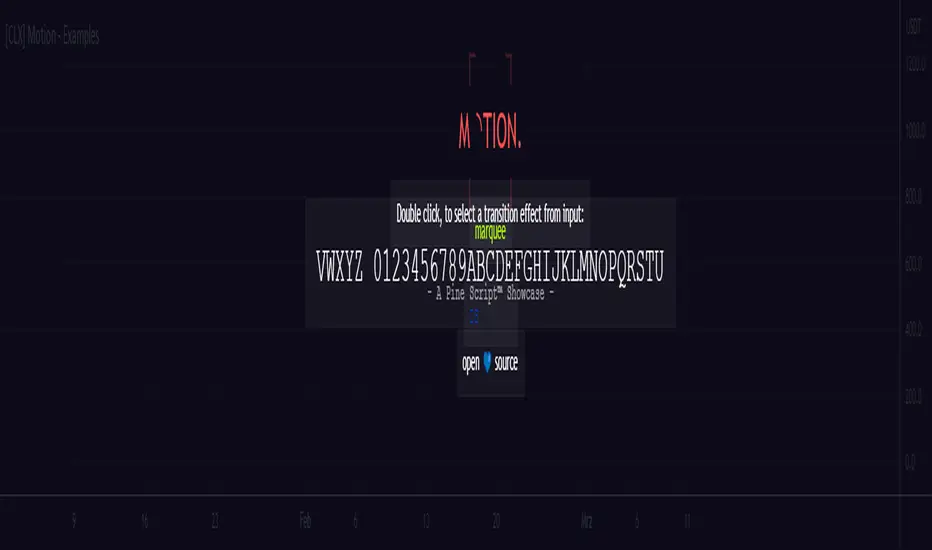
📑 Showcase
This is ready-to-show indicator version of the example code form the `motion` library. It can be used to create string- or color-based effects.
Library:
================================================================================
📑 Setup
To use this library in your own scripts, you must first import it. To do this, add the following line to the top of your script:
Pine Script®
Next, create a `keyframe` object by using the `varip` keyword.
Pine Script®
Based on your needs, you can now use one of the simplified functions to create a transition effect, or you can use the `transition()` or `iteration()` function to create a custom transition effect.
📑 Simplified Functions:
(direct output)
Pine Script®
(indirect output)
Pine Script®
This is ready-to-show indicator version of the example code form the `motion` library. It can be used to create string- or color-based effects.
Library:
================================================================================
📑 Setup
To use this library in your own scripts, you must first import it. To do this, add the following line to the top of your script:
import cryptolinx/Motion/1 as motion
Next, create a `keyframe` object by using the `varip` keyword.
varip myKeyframe = motion.keyframe.new(_intv = 1, _steps = 1)
Based on your needs, you can now use one of the simplified functions to create a transition effect, or you can use the `transition()` or `iteration()` function to create a custom transition effect.
📑 Simplified Functions:
(direct output)
// motion.marquee(keyframe myKeyframe, string _seq, int _ws, int _maxLoops, bool _ltr)
motion.marquee(myKeyframe, 'Hello World!', 3, 0) // 0 = infinite loops
// motion.slideInLeft(keyframe myKeyframe, string _seq, int _ws, int _maxLoops, bool _refill)
motion.slideInLeft(myKeyframe, 'Hello World!', 3, 0) // 0 = infinite loops
// motion.slideOutLeft(keyframe myKeyframe, string _seq, int _ws, int _maxLoops, bool _refill)
motion.slideOutLeft(myKeyframe, 'Hello World!', 3, 0) // 0 = infinite loops
// motion.slideInRight(keyframe myKeyframe, string _seq, int _ws, int _maxLoops, bool _refill)
motion.slideInRight(myKeyframe, 'Hello World!', 3, 0) // 0 = infinite loops
// motion.slideOutRight(keyframe myKeyframe, string _seq, int _ws, int _maxLoops, bool _refill)
motion.slideOutRight(myKeyframe, 'Hello World!', 3, 0) // 0 = infinite loops
// motion.blink(keyframe myKeyframe, string _seq, int _ws, int _maxLoops)
motion.blink(myKeyframe, 'Hello World!', 3, 0) // 0 = infinite loops
(indirect output)
// After you create a transition, you can use the `output` field of the `keyframe` object to get the result.
// motion.marquee(myKeyframe, 'Hello World!', 3, 0)
myKeyframe.output
Script de código abierto
Fiel al espíritu de TradingView, el creador de este script lo ha convertido en código abierto, para que los traders puedan revisar y verificar su funcionalidad. ¡Enhorabuena al autor! Aunque puede utilizarlo de forma gratuita, recuerde que la republicación del código está sujeta a nuestras Normas internas.

Exención de responsabilidad
La información y las publicaciones no constituyen, ni deben considerarse como asesoramiento o recomendaciones financieras, de inversión, de trading o de otro tipo proporcionadas o respaldadas por TradingView. Más información en Condiciones de uso.
Script de código abierto
Fiel al espíritu de TradingView, el creador de este script lo ha convertido en código abierto, para que los traders puedan revisar y verificar su funcionalidad. ¡Enhorabuena al autor! Aunque puede utilizarlo de forma gratuita, recuerde que la republicación del código está sujeta a nuestras Normas internas.
Exención de responsabilidad
La información y las publicaciones no constituyen, ni deben considerarse como asesoramiento o recomendaciones financieras, de inversión, de trading o de otro tipo proporcionadas o respaldadas por TradingView. Más información en Condiciones de uso.